
Connecting to the control plane
Turn on managed mode: mint a deployment token, mount it as a Secret, and point the manager at your platform over a single outbound WebSocket.
By default the operator stays local. To make a cluster show up in the Exo dashboard, with its agents, sessions, runtime statuses, and audit, enable managed mode and give it a deployment token. It opens one outbound WebSocket to your platform and holds it open. No inbound connectivity needed.
Managed vs unmanaged
- Unmanaged (
AUTONOMIC_MANAGED=false, default). The operator reconciles CRs and runs workloads but never contacts a control plane. Good for dev clusters and air-gapped sites. - Managed (
AUTONOMIC_MANAGED=true). The operator connects toAUTONOMIC_BASE_URLand streams CR statuses, memory refs, context summaries, and session events. Requires a deployment token.
Mint a deployment token
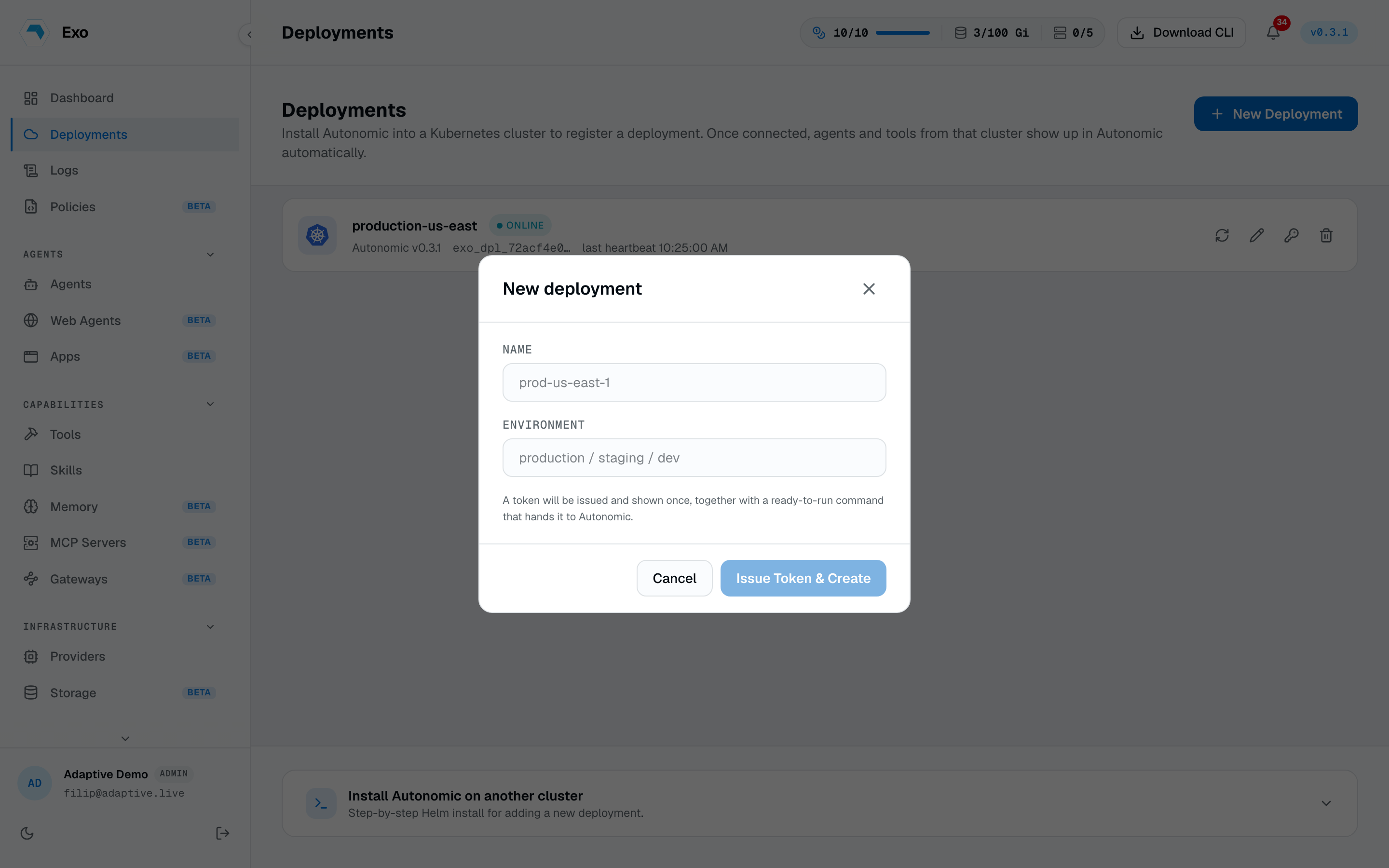
In the dashboard, go to Deployments → New, name the deployment (e.g. prod-eu-west-1), and copy the token shown once. Format, rotation, revocation, and the one-token-one-deployment rule live in Tokens & deployments.
Store it as a Secret
The manager reads its token from a Secret named autonomic-auth (key token) by default. The Deployment references it as optional: true, so an unmanaged install needs no Secret. For managed mode, create it.
kubectl -n autonomic-system create secret generic autonomic-auth \--from-literal=token=<your-deployment-token>
Operator env vars
1AUTONOMIC_MANAGED "true" to phone home (default "false")2AUTONOMIC_BASE_URL platform URL (default https://exo.adaptive.live)3AUTONOMIC_AUTH_TOKEN deployment token; from Secret autonomic-auth/token4AUTONOMIC_CLUSTER_ID stable cluster id (defaults to the pod namespace/hostname)5AUTONOMIC_TRANSPORT "ws" (default) or "http" (legacy reporter)Via Helm these map to chart values:
helm upgrade autonomic exo/autonomic --reuse-values \--set manager.managed=true \--set manager.baseURL=https://exo.example.com \--set manager.authTokenSecret.name=autonomic-auth \--set manager.authTokenSecret.key=token
The connection
Managed mode opens one multiplexed WebSocket to <base-url>/api/autonomic/connect, carrying the deployment token as a Bearer credential. Snapshots, deltas, heartbeats, I/O, and session events all ride it. If a proxy sits in front of the platform, it has to allow long-lived upgrades (see Networking).
Verifying the connection
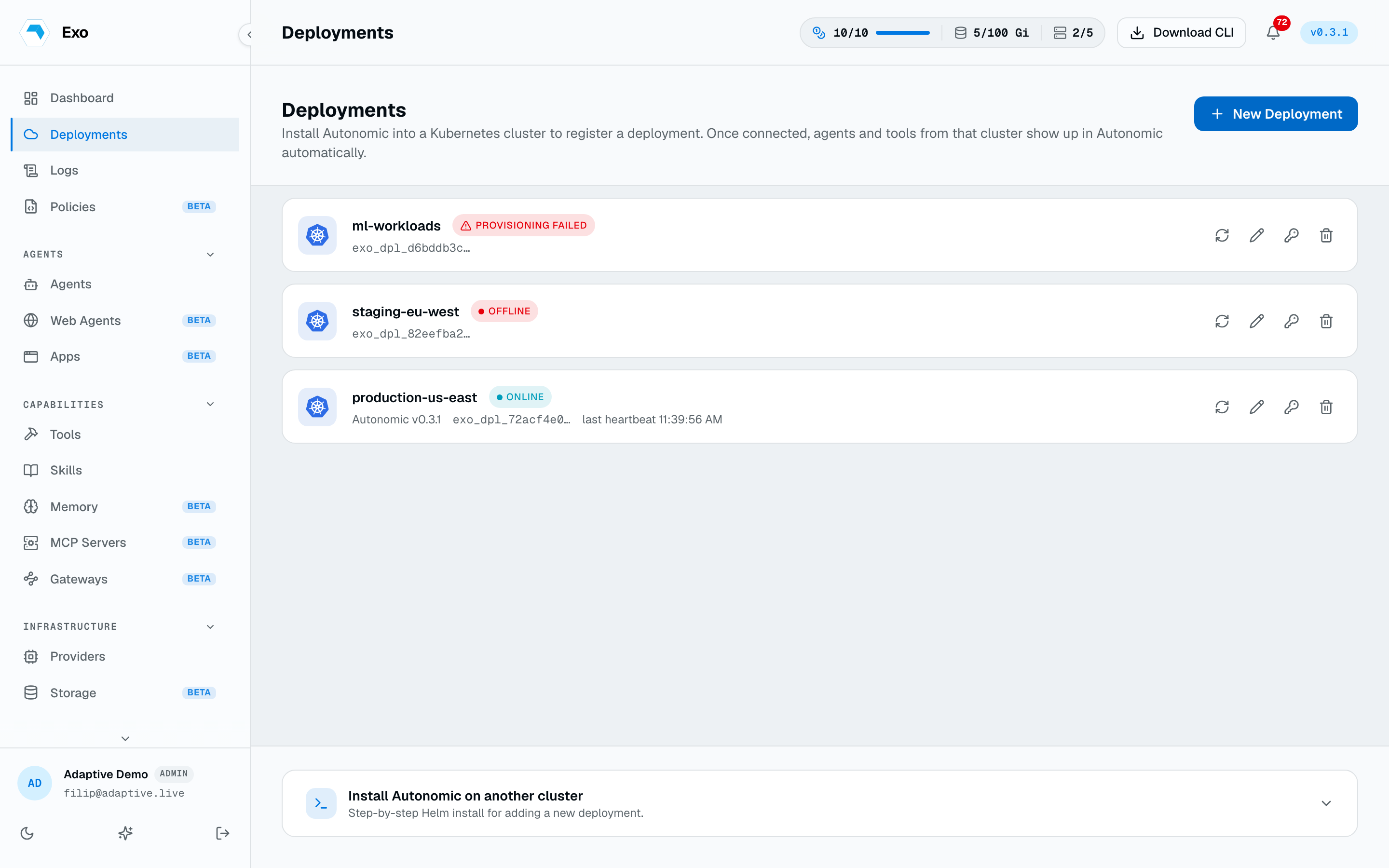
After enabling managed mode, the deployment flips to online in the dashboard within a few seconds and its resource lists populate. If it stays offline, check the manager logs.
kubectl -n autonomic-system logs deploy/autonomic-manager --tail=50
The two usual failures are token rejected (rotated/revoked, or a typo in the Secret) and connection refused (egress firewall blocking the platform host on 443).
Where to next
- Tokens & deployments: rotation, revocation, and the one-token rule.
- Troubleshooting & FAQ: deployment offline, with the log lines to look for.
- Create your first Agent: the cluster is connected; put something on it.