
Log storage
By default Exo keeps session logs and audit events in its own database. Log storage lets you route them to an external store instead, for longer retention or faster search at volume.
Exo records what your agents do and what happens on the platform. Log storage is where you decide those records live. Out of the box they sit in the application database; you can point them at an external store instead. Today that store is ClickHouse.
What gets stored
Log storage covers two streams:
- the session logs behind Sessions, and
- the platform audit events on the Events page (logins, deployments, SCIM sync, and the rest).
Records are written denormalized, so they render and search without joining other tables.
Send logs to ClickHouse
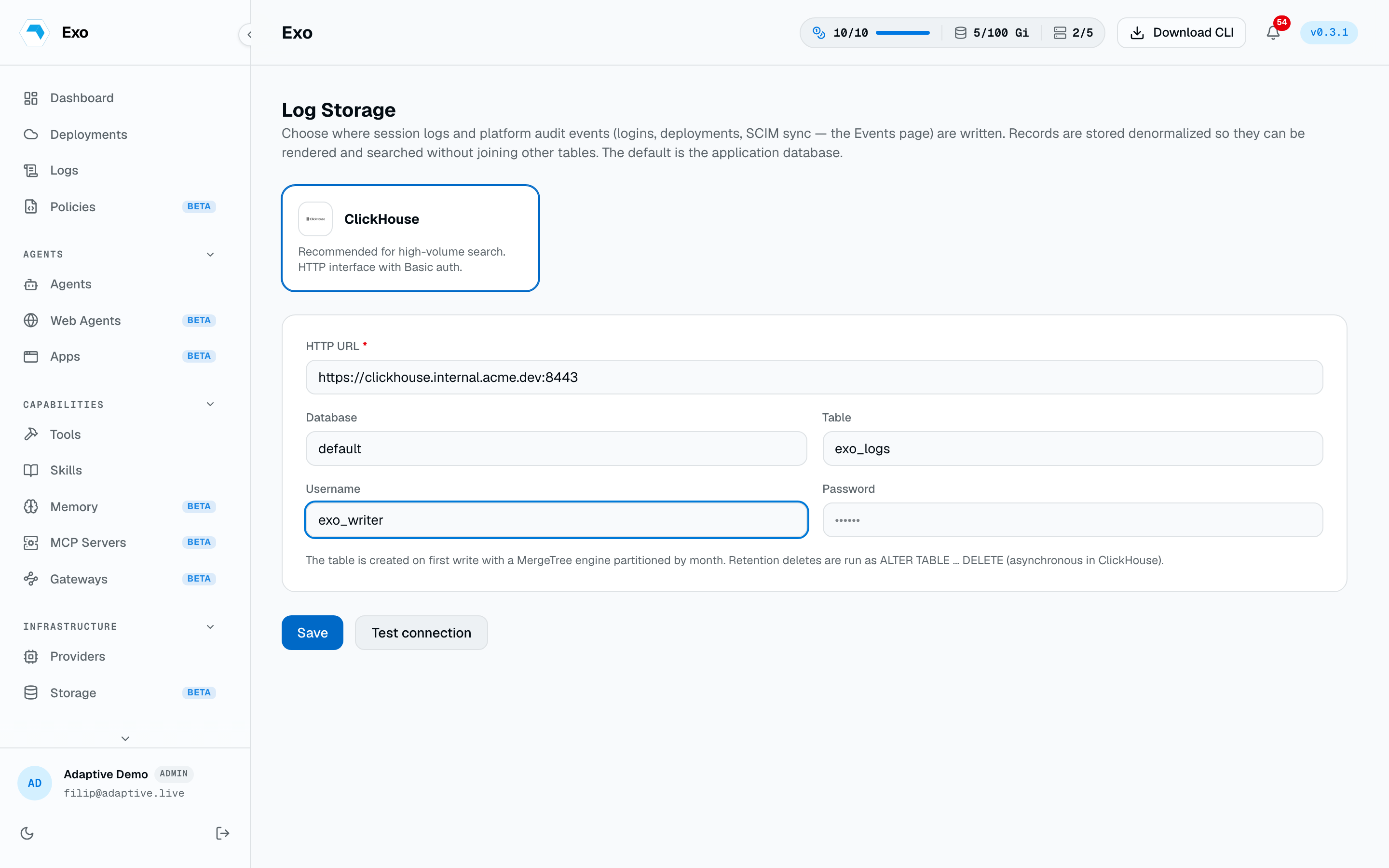
Open Log Storage, choose ClickHouse, and fill in the connection. Exo writes over ClickHouse's HTTP interface using Basic auth.
| Field | Required | Notes |
|---|---|---|
HTTP URL | Yes | The ClickHouse HTTP endpoint, for example https://ch.example.com:8443. |
Database | No | Defaults to default. |
Table | No | Defaults to exo_logs. Created for you on first write. |
Username | No | Basic-auth user for the HTTP interface. |
Password | No | Basic-auth password. Stored encrypted (see below). |
You don't pre-create the table. Exo creates it on first write with a MergeTree engine partitioned by month, and retention deletes run as asynchronous ALTER TABLE … DELETE statements.
Test, save, revert
- Test connection checks the settings without saving, so you can confirm they work before committing. The default database needs no test.
- Save stores the configuration. Credentials are encrypted at rest, and the setting is scoped to your tenant.
- Delete the sink to fall back to the application database.