
Web agents
A headless browser running in your cluster, streamed to the dashboard and exposed to agents as an MCP server. Watch an agent click through a site, or take the controls yourself.
A web agent is a pod with a browser in it. Two things come out of that pod: a live video stream the dashboard renders, and a Playwright MCP endpoint that coding agents drive the browser through. Work that needs a real browser — a portal with no API, a signup flow, a scrape behind a login — stops being a scripting problem. Open Agents → Web Agents.
What a web agent is
- A browser stream. Frames out, input in — you can watch and you can take over with your mouse and keyboard.
- An MCP endpoint. The same browser, exposed as Playwright MCP tools, so an agent can navigate, click, type, and read the page.
- Optionally, an embedded coding agent in the same pod, already wired to that endpoint.
Create one
New web agent takes a deployment, a DNS-style name, and an optional start URL. That is enough for a plain browser pod you drive yourself or point another agent at. The browser's viewport size and stream quality are configurable on the resource.
Start an agent session
Turning on the embedded agent gives the pod a coding-agent container beside the browser, pre-bound to its MCP endpoint. It takes the same configuration as a standalone agent: runtime, provider and model, whether to route through an LLM gateway, skills, extra MCP servers, memories, and a resource footprint. Disabling it returns the pod to a plain browser.
Driving the browser
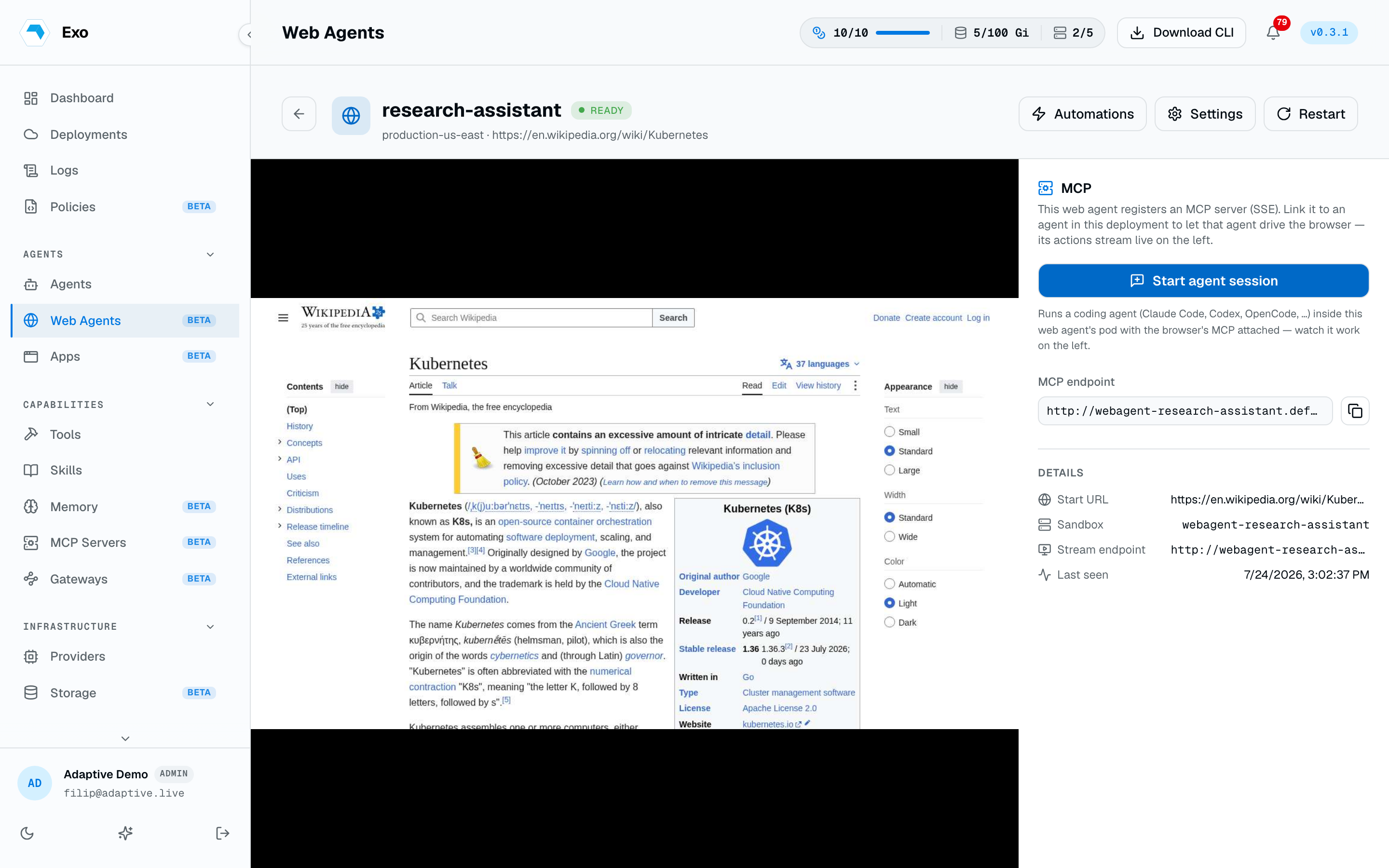
The detail page puts the stream and a chat next to each other: you type what you want done, the agent uses the browser, and you watch it happen. Because the tools are ordinary MCP tools, every call lands in the tool-call log like any other — a browser session is as auditable as a database one.
Automations
A prompt that worked is worth keeping. Save as automation stores it against the web agent with a name and description; the Automations list replays one into a live session on demand. It is the lightweight path for a recurring browser chore that does not warrant a scheduled agent of its own.
Link an existing agent
A standalone agent can bind a web agent's MCP endpoint instead of hosting its own browser. Pick web agents on the agent's create or edit form, or declare them on the resource:
1spec:2 webAgentRefs:3 - name: checkout-browserThis is the shape to reach for when one browser should serve several agents, or when an agent needs a browser only occasionally.
Restart & delete
- Restart deletes the browser pod and lets the operator recreate it — the cure for a wedged page or a leaked session. Stream and MCP URLs survive.
- Delete removes the resource; its reconciler tears down the pod and Service.
- Force delete also purges the dashboard row, for a web agent stuck behind an offline deployment.
1apiVersion: autonomic.sh/v1alpha12kind: WebAgent3metadata:4 name: checkout-browser5 namespace: adaptive6spec:7 url: https://example.com8 width: 14409 height: 90010 quality: 7011 agent:12 enabled: true13 runtime: ClaudeCode14 model: claude-opus-4-8