
Agent webhooks
Wire an agent to the outside world in both directions: an inbound trigger URL an external system POSTs to start a run, and an outbound callback Exo POSTs when a run finishes.
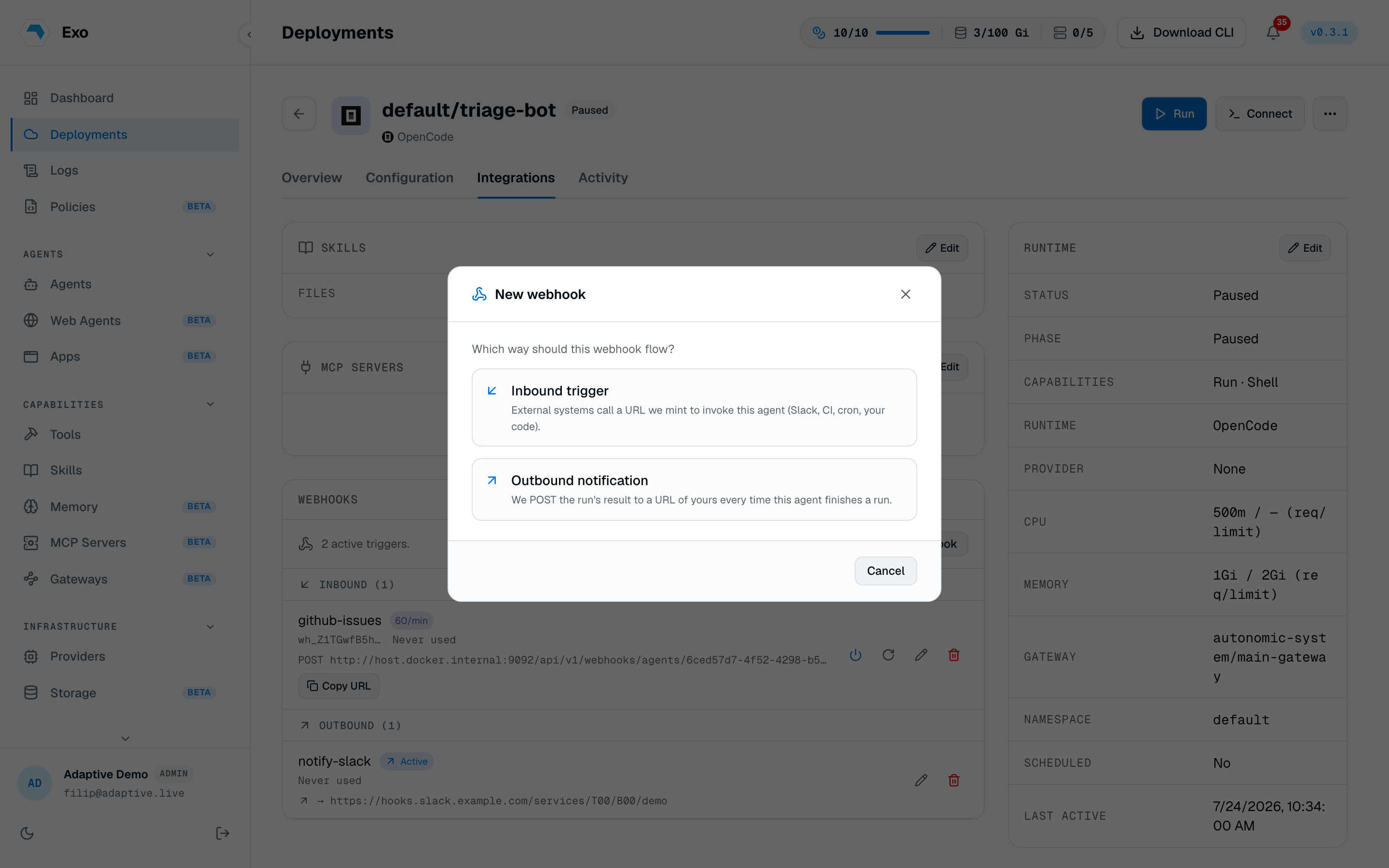
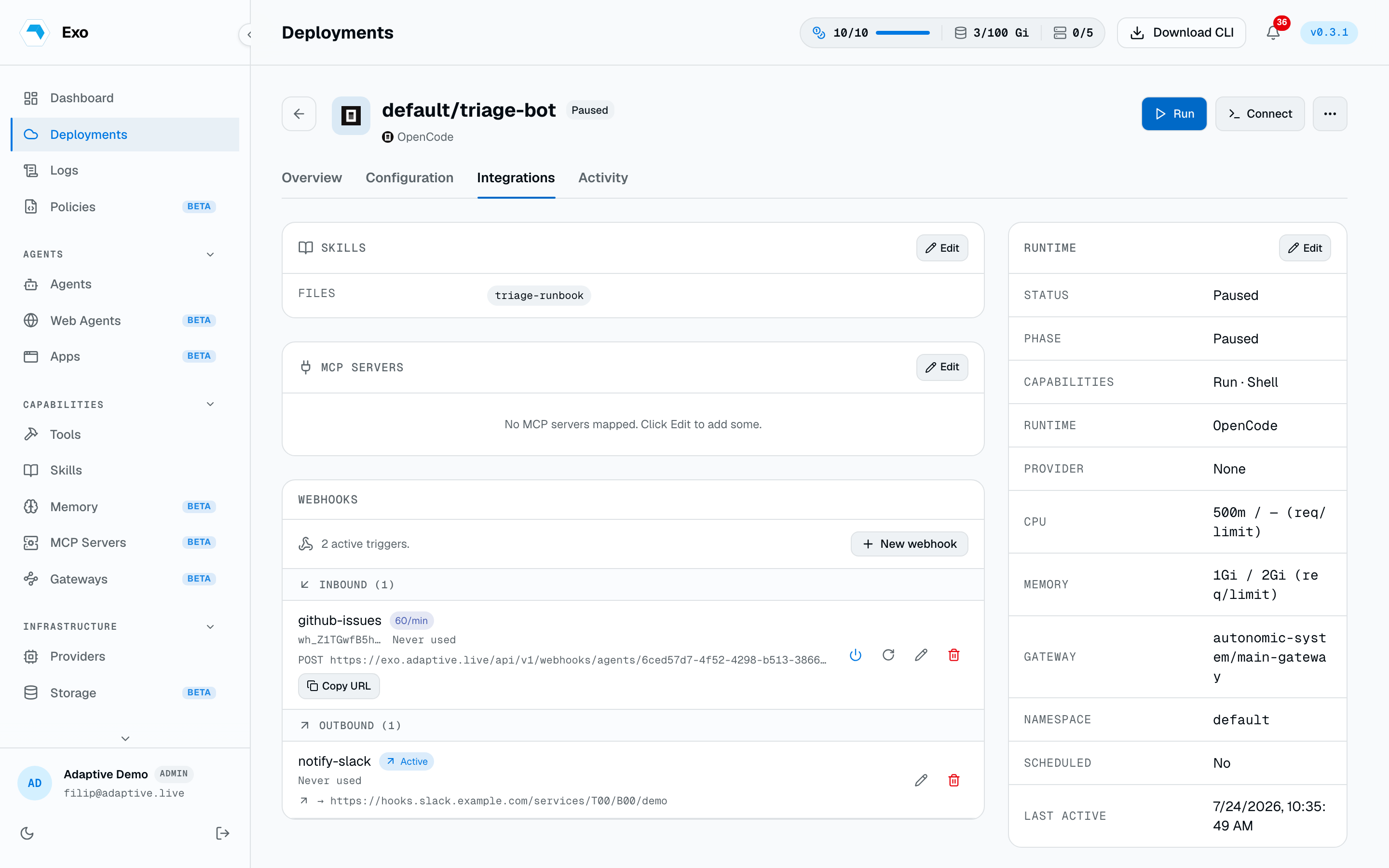
A webhook connects an agent to other systems in one of two directions. An inbound trigger is a URL an external service POSTs to fire a run. An outbound notification is a URL Exo POSTs to when a run finishes. You create each kind separately from the agent's Webhooks panel; picking the direction is the first step of New webhook.
Inbound: trigger a run
Pick Inbound trigger, name it, and choose whether calls must be signed:
- None. The bearer token is the only credential. Simplest, fine for trusted CI or scripts.
- Auto-generate. Exo mints a signing secret; callers must send a matching HMAC signature header.
- Custom. Paste a secret the caller already has (for example one Slack gave you).
The panel lists inbound and outbound webhooks separately. Each trigger shows its POST URL with a Copy URL action, badges for signing and rate limits, and a last-used line. A power toggle pauses a trigger without deleting it.
A trigger can also fire from GitHub without any caller of your own: set a GitHub trigger label and the agent runs whenever that label is added to an issue in the connected repository, with the issue as its input.
Call the trigger
The invoke URL carries the webhook's id; the token travels in the Authorization header, not the URL.
Fire a run of the agent this webhook belongs to. Returns 200 with the run's identifiers on success, 403 if the agent can't run in the background, 413 if the body is over 64 KB, and 429 when the trigger's rate limit is exceeded.
- :idpathrequired
- The webhook's id, shown in the Webhooks panel (this is the webhook id, not the agent id).
- Authorizationheaderrequired
- Bearer <token>, using the token shown once at create time. X-Webhook-Token: <token> is accepted as an alternative for callers that strip Authorization.
- X-Exo-Signatureheader
- sha256=<hex>, an HMAC-SHA256 of the raw request body. Required only when the webhook was created with a secret. X-Hub-Signature-256 (GitHub-style) is also accepted.
- bodyjson
- Any JSON, up to 64 KB. Delivered to the run as the AGENT_WEBHOOK_PAYLOAD environment variable.
Copy the URL from the panel and POST to it:
curl -X POST 'https://exo.adaptive.live/api/v1/webhooks/agents/<webhook-id>/invoke' \-H 'Authorization: Bearer wh_<token>' \-H 'Content-Type: application/json' \-d '{"issue":"PROJ-1234"}'
If the webhook requires a signature, add the HMAC header. This is exactly what the panel's example generates:
BODY='{"issue":"PROJ-1234"}'
curl -X POST 'https://exo.adaptive.live/api/v1/webhooks/agents/<webhook-id>/invoke' \-H 'Authorization: Bearer wh_<token>' \-H 'Content-Type: application/json' \-H "X-Exo-Signature: sha256=$(printf %s "$BODY" | openssl dgst -sha256 -hmac "$SECRET" -r | cut -d' ' -f1)" \-d "$BODY"
A successful call returns 200 with { namespace, agent_name, invocation_name, phase }. The invocation_name is the run you can open in Sessions. Dispatch waits up to 30 seconds for the cluster; a timeout returns 504.
Outbound: completion callback
Pick Outbound notification and set the destination URL. When a run finishes (success, failure, or cancelled), Exo POSTs the result there with an X-Exo-Event: agent.run.completed header:
1{2 "agent": "triage-bot",3 "namespace": "production",4 "run": "triage-bot-8f2a",5 "status": "Succeeded",6 "started_at": "2026-07-03T10:00:00Z",7 "completed_at": "2026-07-03T10:02:11Z",8 "token_usage": { "prompt": 4120, "completion": 880, "total": 5000 },9 "output": "…run output, tail-capped…",10 "output_truncated": false11}- Signing. Set a secret (auto-generated or your own) and Exo signs each call with
X-Exo-Signature: sha256=<hex>, so you can verify the call came from Exo. - Output size. The run output is capped (256 KB by default, keeping the tail);
output_truncatedflags when it was trimmed. - Private endpoints. Check Proxy through the Operator when the destination is only reachable from inside your cluster's network.
- Delivery. Reply
2xxto acknowledge. Exo retries on transport errors,5xx, and429; other4xxare dropped. Failures never fail the run; they land in the agent's event log.
Rate limits & advanced settings
Both forms have a collapsed Advanced settings section. Blank means unlimited or the stated default.
- Rate limit (calls / minute), inbound. Calls over the budget get
429withRetry-After. - Delivery rate limit (per minute), outbound. Deliveries over the budget are dropped and recorded in the event log.
- Retries, outbound. Extra delivery attempts (default 2;
-1disables retries). - Timeout (seconds per attempt), outbound. Default 15, max 300.
Edit, rotate, revoke
- Edit changes the name and settings; the direction is fixed. Picking Auto-generate on an outbound webhook mints a new signing secret, shown once.
- Rotate mints a fresh token (and HMAC secret if one existed) for an inbound trigger, shown once. The URL stays the same; the old credentials stop working immediately.
- Revoke deletes the webhook and stops it immediately. External callers start getting
401s, so re-mint and update them to recover.