
MCP servers
Register remote Model Context Protocol servers once, at tenant level, then attach them to agents by name. Exo holds the credentials, indexes the tools, and records who called what.
An MCP server is a remote endpoint that exposes tools to an agent runtime. Registering one in Exo puts it in a tenant-wide registry: the URL and its credentials live in the control plane, not in a runtime config file on some pod, and any agent can opt into it by name. Open Capabilities → MCP Servers in the dashboard.
Register a server
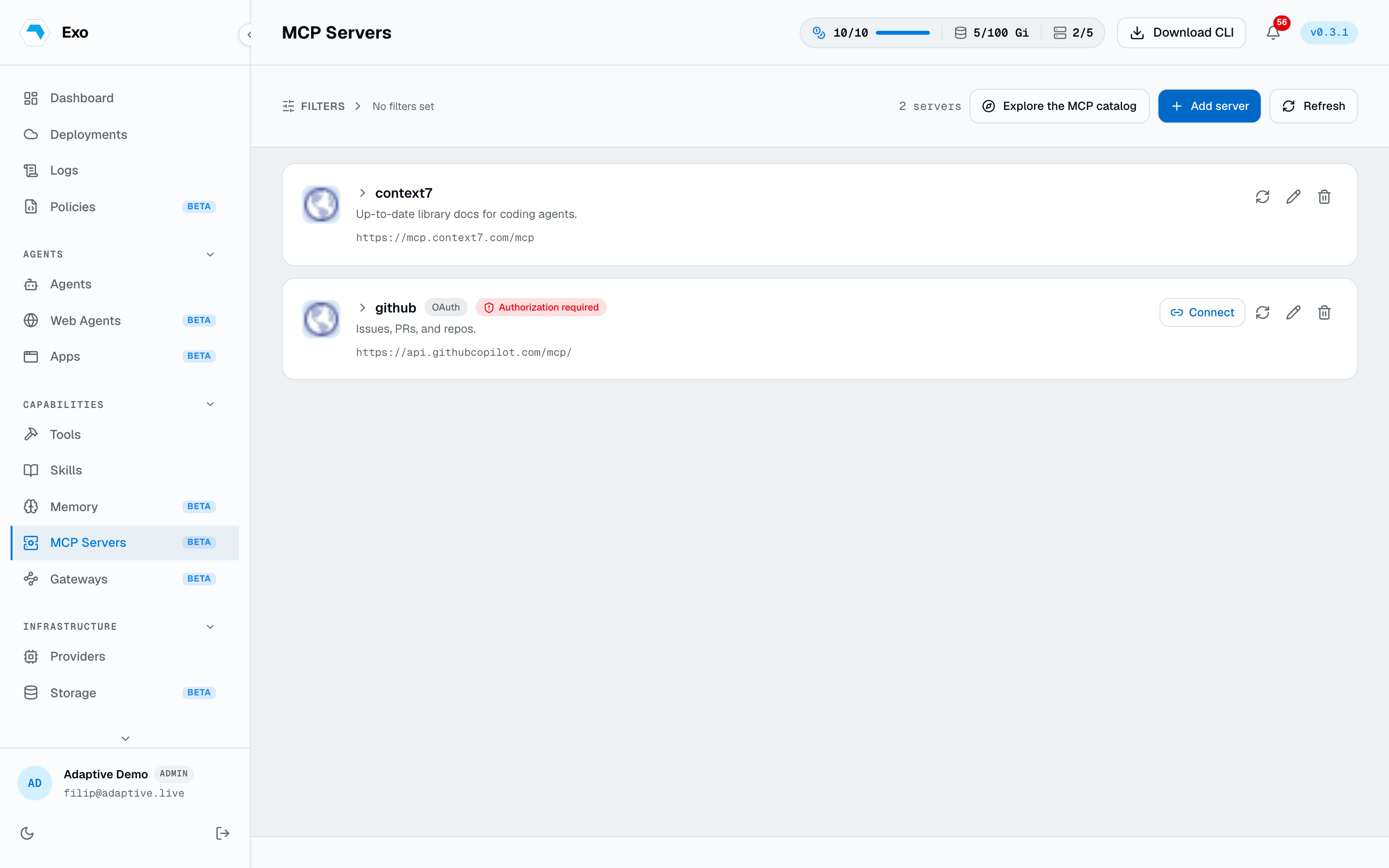
Add server takes a name, the endpoint URL, a transport, and an auth mode. Test connection dry-runs the config before you save it and reports the tool count and round-trip latency, so a typo in the URL or a bad token fails at the form rather than in the middle of a run.
| Field | What it does |
|---|---|
url | The endpoint an agent runtime will reach. Registration is a pointer — nothing is proxied or hosted for you. |
transport | Wire protocol: http (streamable HTTP, the default) or sse for servers that only speak Server-Sent Events. |
auth_type | none, headers, bearer, apikey, oauth_client_credentials, or oauth_authorization_code. |
description | Free text shown on the card and in the picker when attaching the server to an agent. |
The catalogue
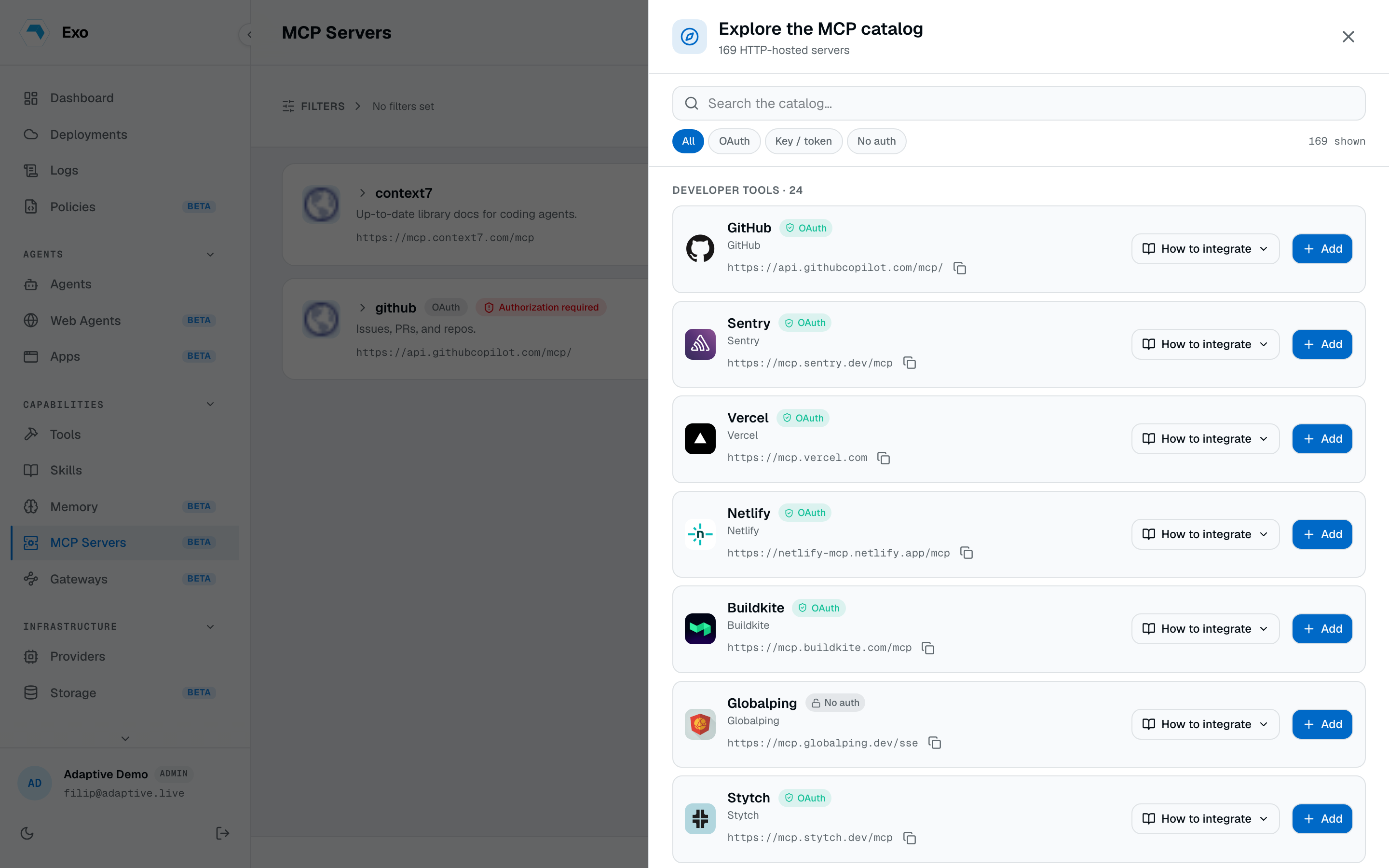
Rather than hunting for endpoint URLs, use Browse catalogue. Exo ships a curated list of 375 hosted MCP servers across twelve categories — CRM & marketing, developer tools, productivity, search, finance, design & media, databases, AI & knowledge, monitoring, cloud, automation, and a catch-all. Picking one prefills the URL, transport, auth mode, and OAuth scopes; you supply only the credential.
Authentication
- Static credentials.
bearer,apikey(with a header name), and rawheaderscover servers that take a long-lived token. Exo injects the header at call time. - OAuth client credentials. Machine-to-machine: store a client id, secret, token URL, and scopes, and Exo mints and refreshes the access token itself.
- OAuth authorization code. The card shows an Authorize button that runs the vendor consent flow in a browser. Once connected, the card reports the token expiry and offers re-authorization. Vendors that support discovery and dynamic client registration need nothing but the URL.
Discover tools
Each server card expands into the tool list it advertises: name, description, input schema, and the MCP annotation hints (read-only, destructive, idempotent, open-world). The Discover view searches tools across every registered server at once — useful when you know the capability you want but not which vendor has it.
Tool lists are cached server-side for about a day so opening the page does not fan out to every vendor. Re-index forces a fresh lookup. If a refresh fails, Exo serves the last-known snapshot, flags it as stale, and shows the fetch error rather than an empty list.
1GET /api/v1/dashboard/mcp-servers/{id}/tools # cached snapshot2GET /api/v1/dashboard/mcp-servers/{id}/tools?refresh=true # force a fresh lookupAttach servers to agents
On an agent, pick MCP servers in the create or edit form. Exo renders each server's URL and auth into the runtime's MCP config when the session starts, so credentials never sit in the CR. In YAML it is a list of names under spec.bootstrap.mcps:
1spec:2 bootstrap:3 mcps:4 - linear5 - sentryEditing an agent follows the omitted-preserves rule: send the list to replace it, send an empty list to detach everything, omit it to leave the attachments alone. The operator must advertise the map-mcps capability — older operators reject the edit with map_mcps_unsupported.
Activity
The Activity view answers two questions per server: which agents can reach it, and what has actually been called. Agents are listed with how they got access — attached in their manifest, or via auto-attach — plus a per-agent invocation count and last-used timestamp. Alongside it is a 30-day window of recent tool calls with status, duration, and the session they came from.
Who can use a server
Servers are open to anyone with MCP access by default. The Access panel narrows one to named users, teams, or roles; restricted servers show a lock badge. Grants are enforced everywhere the server is reachable — the dashboard, the agent attach picker, and the CLI.
Servers declared in-cluster
An MCP custom resource in a connected cluster registers into the same registry, scoped to that deployment. The CR is a pointer — nothing runs in-cluster for it — so GitOps can own the server list where that is the house style. These rows are marked as cluster-synced in the dashboard and are managed with kubectl, not the Add server form.
A registration is two objects: a Secret holding the credential and the MCP pointing at it. Every key in the Secret's data becomes one HTTP header on requests to the server — key is the header name, value is the header value — so name the keys after whatever the vendor expects. The Secret must live in the same namespace as the MCP.
1apiVersion: v12kind: Secret3metadata:4 name: linear-mcp-token5 namespace: adaptive6type: Opaque7stringData:8 # one header per key: this sends "Authorization: Bearer ..."9 Authorization: "Bearer REPLACE_ME"10---11apiVersion: autonomic.sh/v1alpha112kind: MCP13metadata:14 name: linear15 namespace: adaptive16spec:17 url: https://mcp.linear.app/mcp18 description: Linear — issues, projects, cycles, comments19 auth:20 secretRef:21 name: linear-mcp-tokenspec.url is the only required field. Omit auth entirely for a server that takes unauthenticated requests. A header other than Authorization works the same way — the key is used verbatim, which is what an internal server behind a shared API key usually wants:
1apiVersion: v12kind: Secret3metadata:4 name: internal-mcp-key5 namespace: adaptive6type: Opaque7stringData:8 X-API-Key: "REPLACE_ME"9---10apiVersion: autonomic.sh/v1alpha111kind: MCP12metadata:13 name: internal-platform14 namespace: adaptive15spec:16 url: http://platform-mcp.platform.svc.cluster.local:8080/mcp17 description: Internal platform MCP — service catalogue, deploy status, runbooks18 auth:19 secretRef:20 name: internal-mcp-keyApply-time validation rejects a URL that is empty, relative, whitespace-padded, or on a scheme other than http/https — an MCP CR registers a remote server, so stdio and command-launched servers cannot be declared this way. Several things pass but warn: credentials embedded in the URL, cleartext http:// to a host outside the cluster, an auth block with no secretRef, and a Secret key whose value is empty. Once applied, the CR reports whether the registration took:
kubectl get mcps -n adaptive
NAME PHASE URL AGElinear Ready https://mcp.linear.app/mcp 2minternal-platform Failed http://platform-mcp.platform.svc.cluster.local:8080/ 2mFailed puts the reason in status.message — a missing auth Secret is the usual one. Agents attach to these by the CR name, the same as any dashboard-registered server: spec.bootstrap.mcps: [linear].
From the CLI
exo mcp reads the same registry, and exo mcp proxy bridges a registered server to a local MCP client over stdio — the backend handles auth, so your laptop never holds the credential.
exo mcp list
exo mcp tools linear
exo mcp proxy linear
claude mcp add linear -- exo mcp proxy linear
Proxies
The Proxies view composes one MCP endpoint out of several registered servers: pick the tools you want from each, and clients see a single server carrying exactly that mix. Useful when a runtime should get a curated toolbox rather than five separate connections. Each proxy shows per-client connect snippets, and access follows the same rules as a registered server.
Publish tools as MCP
Exo can also stand on the other side of the protocol: a publication bundles a curated set of your Exo tools behind one MCP URL, secured by a bearer token minted once at create time. Any MCP client (Claude Desktop, Cursor, another platform) connects to it like any remote MCP server, and sees exactly the tools you picked. Tokens can be rotated without changing the URL.