
Runtime policies
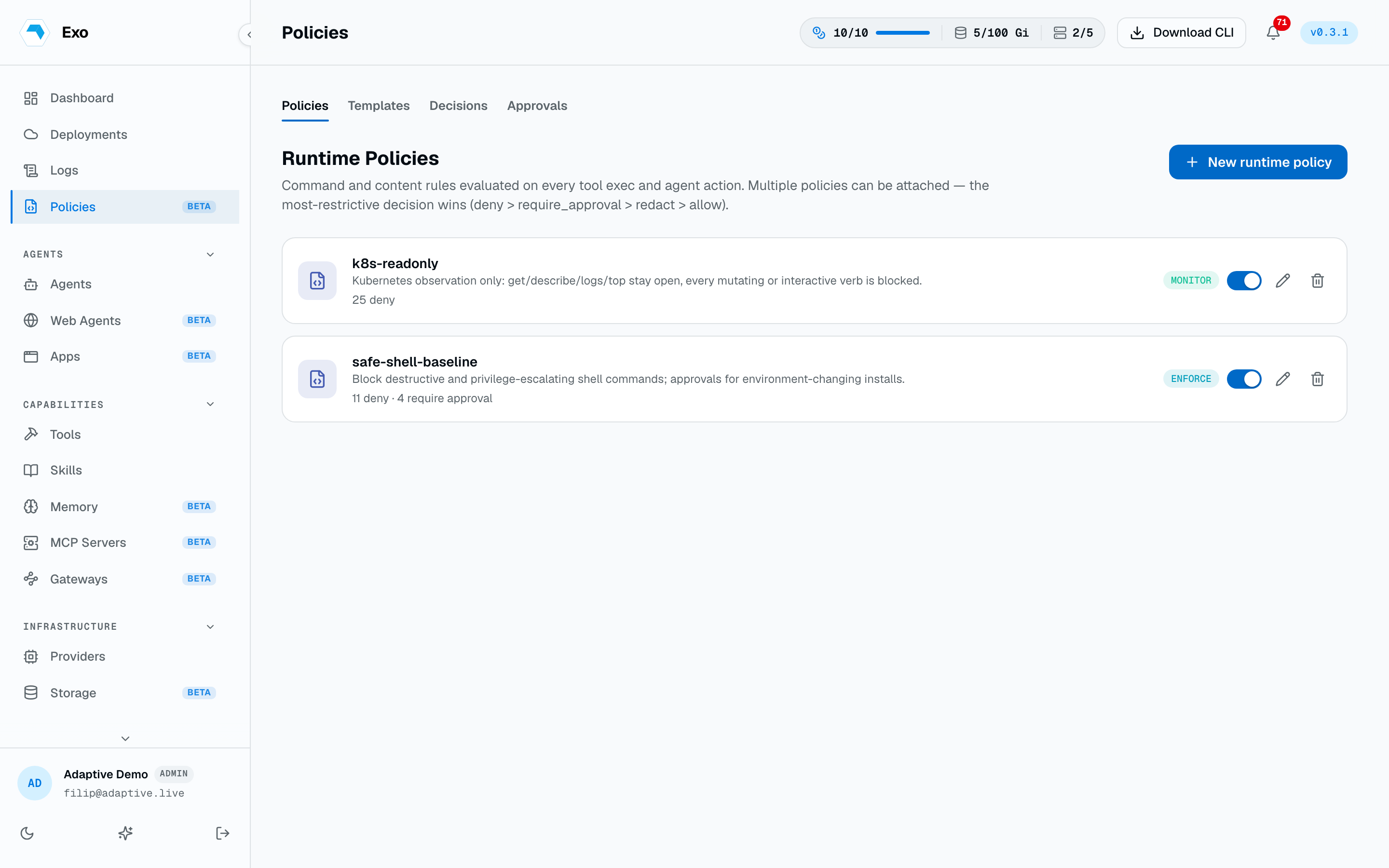
Rules that decide what an agent may run, written as YAML or Rego. Deny outright, hold for human approval, or watch first. Evaluated at the control plane, in the cluster, on VM and ECS shells, and inside the agent runtime.
An agent that can open a shell can, in principle, run anything the shell can run. A runtime policy is where you say which of those things are off the table, which need a person to sign off, and which you only want to know about. One policy language, evaluated at several layers. Open Policies in the dashboard.
What a policy says
A policy is a YAML document under a runtime_policy: key. The primary enforced section is commands; a policy can also carry SQL, filesystem, network, and input/output rules.
1runtime_policy:2 version: "1.0"3 name: "safe-shell-baseline"4 default_decision: allow5 6 commands:7 global:8 deny:9 - pattern: "rm -rf *"10 reason: "Destructive recursive delete is blocked."11 - pattern: "sudo *"12 reason: "Privilege escalation is blocked."13 - pattern: "curl * | sh"14 reason: "Remote script execution is blocked."15 require_approval:16 - pattern: "npm install *"17 reason: "Dependency installation changes the environment."Patterns are start-anchored globs: * matches within a path segment and never crosses /, ** matches anything including /, and ? matches one character. Every rule carries a one-line reason, which is what the agent and the audit record are shown when it fires.
Several policies can be attached to one agent. The most restrictive decision across all of them wins: deny beats require_approval beats redact beats allow. Setting default_decision: deny at the root or in a scope turns the policy into an allowlist.
Writing one
- From a template. Nineteen built-in packs ship read-only: shell baselines, read-only guards for Postgres, MySQL, ClickHouse, MongoDB and Redis, Kubernetes read-only and no-delete, Helm and Terraform guards, Docker and git safety, cloud-CLI read-only, an exfiltration baseline, and a SOC 2 starter. Copy one and edit it. Your own templates sit alongside them.
- From a description. Generate turns “block anything that drops a table, ask before deploying to prod” into policy YAML. It also converts a pasted prose or Markdown guardrail document: mechanically checkable rules become patterns, and behavioural guidance that cannot be expressed as a rule is dropped rather than invented.
- By hand, in the editor. The form covers command rules; the YAML and Rego views expose everything.
Deleting a policy is its own permission, policies:delete, granted to Admin automatically. Add it to any other role that should be able to remove enforcement.
Policies as Rego
A policy can be a Rego module instead of the YAML schema. Paste one into the editor (it is recognised by its package line) and define a decision document with a default, following the same format as the OPA integration. Saved Rego is enforced at the control plane before a tool command runs, and by the in-pod hook for shell commands and MCP calls. It never syncs to a laptop, and the LLM gateway and MCP delivery surfaces are gated by the external OPA connection instead.
From the CLI, a directory of policy files applies in one command:
exo policy create -f ./policies -R --update
exo policy create -f guard.rego --mode monitor --scope global
exo policy list
exo policy delete guard
Who a policy applies to
| Scope | Applies to |
|---|---|
| Attached | Only the agents that list the policy. The default, and the most explicit. |
| Global | Every agent in the tenant, with no per-agent opt-in. |
| Local | Agents whose metadata labels contain every pair the policy names — e.g. every agent labelled env=prod. |
| User | No agent at all: enforced on developer machines via exo sync. |
Attach policies from an agent's create or edit form, or in YAML under spec.bootstrap.policies. Editing them needs the operator's map-policies capability.
1metadata:2 labels:3 env: prod4spec:5 bootstrap:6 policies:7 - safe-shell-baseline8 - prod-db-readonlyEnforce vs monitor
monitor evaluates everything and records the decisions without blocking anything. enforce blocks. Run a new policy in monitor mode against real traffic first — the decisions feed tells you exactly what would have been stopped, including the false positives you would rather find before your colleagues do.
Where it is enforced
- The control plane is authoritative. Every
exo tool execand shell open is evaluated here before anything reaches the cluster. - The connector evaluates again in-cluster, immediately before the command runs. This catches anything reaching the manager without backend mediation, and it fails closed for enforce-mode policies when the backend is unreachable.
- VM and ECS host shells evaluate the command that opens the session, then everything typed into it, before any of it reaches the host.
- The runtime harness gates commands and MCP calls inside the agent itself — a pre-tool hook for Claude Code, native permissions where the runtime has them. It is advisory and fast: it gives the agent an immediate, explained refusal instead of a failure ten seconds later, while the layers above stay authoritative.
- The LLM gateway applies input and output text rules to the model traffic passing through it.
The same gates can also consult an external OPA server you already run. See OPA integration; the most restrictive verdict across both engines wins.
Approvals
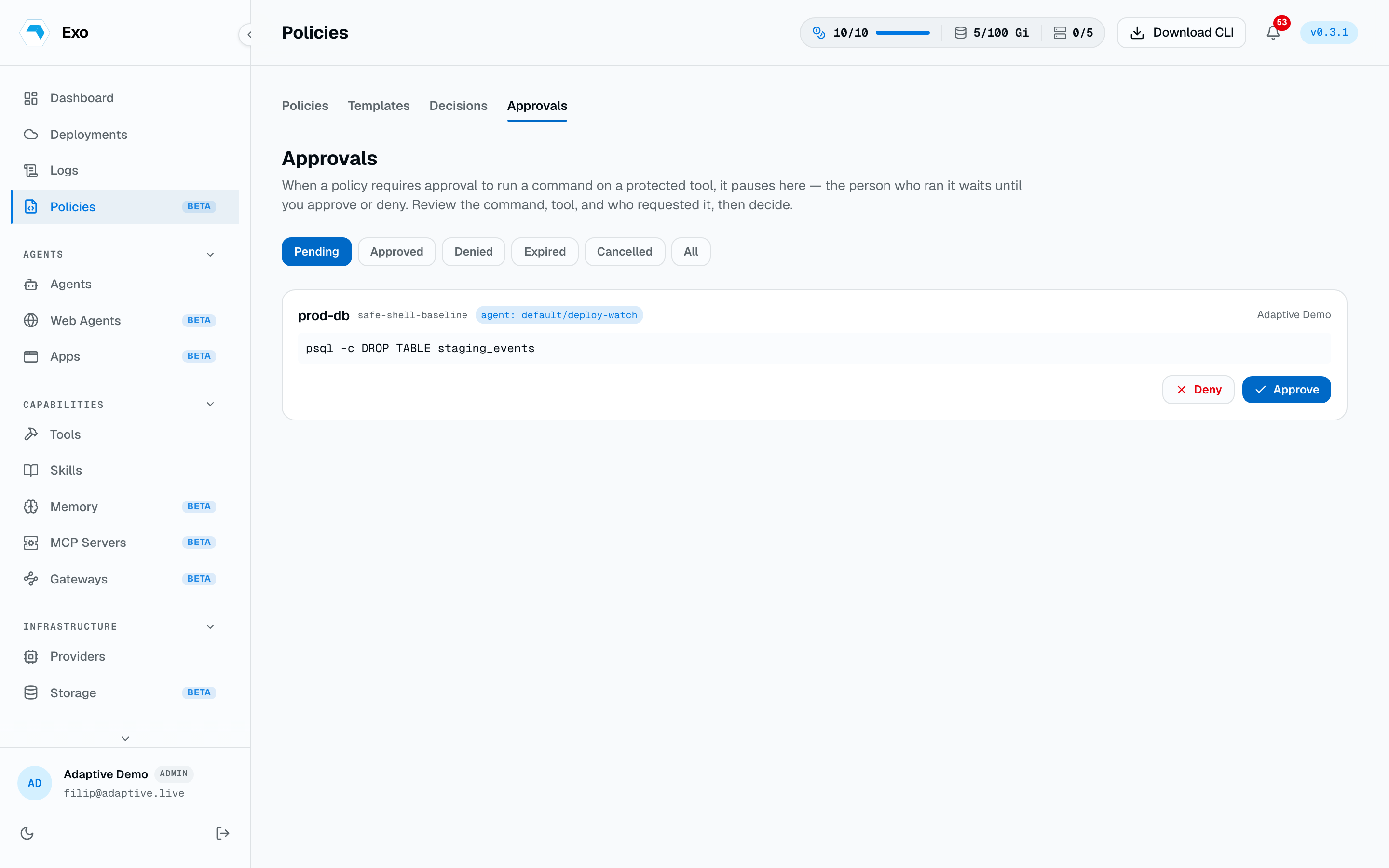
A require_approval match holds the command instead of failing it. The request lands under Policies → Approvals with the tool, the exact command, the policy and rule that fired, and — when the request came from inside an agent pod — which agent raised it. Deciding needs the approvals:decide permission; approvals:read alone shows the queue without the Approve and Deny buttons. Pending requests expire on the tenant's approval TTL, ten minutes by default, and also appear on the dashboard home page so a decision is never more than one click away.
From the CLI the command blocks while it waits, printing the approval link as a scannable QR code. On approval the exec proceeds; on denial or timeout it aborts with the reason. Ctrl-C cancels the request rather than leaving it dangling.
Approval notifications
Waiting approvals are only useful if an approver hears about them. Policies → Notifications decides who gets pinged and how when a request is created: a Slack channel or direct message, a Microsoft Teams channel or chat, or a phone call or text through a connected Twilio number. Approvers can approve or deny straight from the Slack or Teams message without opening the dashboard.
Decisions
Policies → Decisions is the feed of every evaluation that matched: which enforcement point saw it, the policy and rule, the command, the tool, and the outcome — blocked, held, approved, denied, or monitored. One action can appear more than once, since each layer records its own view. This is the fastest way to answer “why did that fail” and the evidence trail when someone asks whether a control was on.
On your own machine
The same policies can guard the coding agent on your laptop. exo sync mirrors the tenant's skills and policies onto disk and wires each detected runtime to enforce them.
exo sync
exo sync --runtime claude
exo sync --policies-only --dry-run
exo sync --local --prune