
Directory sync
Pull users and groups into Exo from your directory on a schedule. Exo connects out to LDAP, Microsoft Entra, or Google Workspace, reconciles people and groups, and keeps memberships current between logins.
Directory sync is the pull half of provisioning: Exo reaches out to your directory and mirrors users and groups in. Configure it under Dashboard → Identity providers (needs idp:write). Three sources: LDAP / Active Directory, Microsoft Entra via Graph, and Google Workspace. Pair it with SSO for the sign-in itself.
Push vs pull
If your IdP can push (Okta, Entra with SCIM enabled), prefer SCIM: it's near-real-time and the IdP owns the schedule. Reach for pull-based directory sync when the IdP can't push, when you run on-prem AD, or when you want Exo to own the cadence. Both write to the same users and groups, so pick one source of truth per directory.
LDAP / Active Directory
Exo binds to your LDAP server and runs the user and group searches you define. Provide a read-only service account for the bind.
| Field | Maps to | Notes | Example |
|---|---|---|---|
| Host | host | LDAP server hostname (required) | dc1.acme.internal |
| Port | port | Optional; 389 (starttls) / 636 (ldaps) | 636 |
| TLS mode | tls_mode | starttls | ldaps | none | ldaps |
| Base DN | base_dn | Search root, e.g. dc=corp,dc=example,dc=com | dc=acme,dc=com |
| Bind DN | bind_dn | Service-account DN used to authenticate | cn=exo-sync,ou=svc,dc=acme,dc=com |
| Bind password | bind_password | Write-only after save | … |
| User filter | user_search | LDAP filter selecting user entries | (objectClass=user) |
| Group filter | group_search | LDAP filter selecting group entries | (objectClass=group) |
| Sync interval | sync_interval_seconds | How often Exo pulls (0 = scheduler default) | 1800 |
Microsoft Entra (Graph)
Register an app in Entra, grant it directory read permissions, and give Exo the tenant and client credentials. Exo uses Graph delta queries, so after the first full sync it pulls only changes. On the Entra side, everything happens in the Entra admin center (or the Azure portal, same screens):
- Identity → Applications → App registrations → New registration. Name it something like
exo-directory-sync; no redirect URI needed. Note the Application (client) ID and Directory (tenant) ID from the overview page.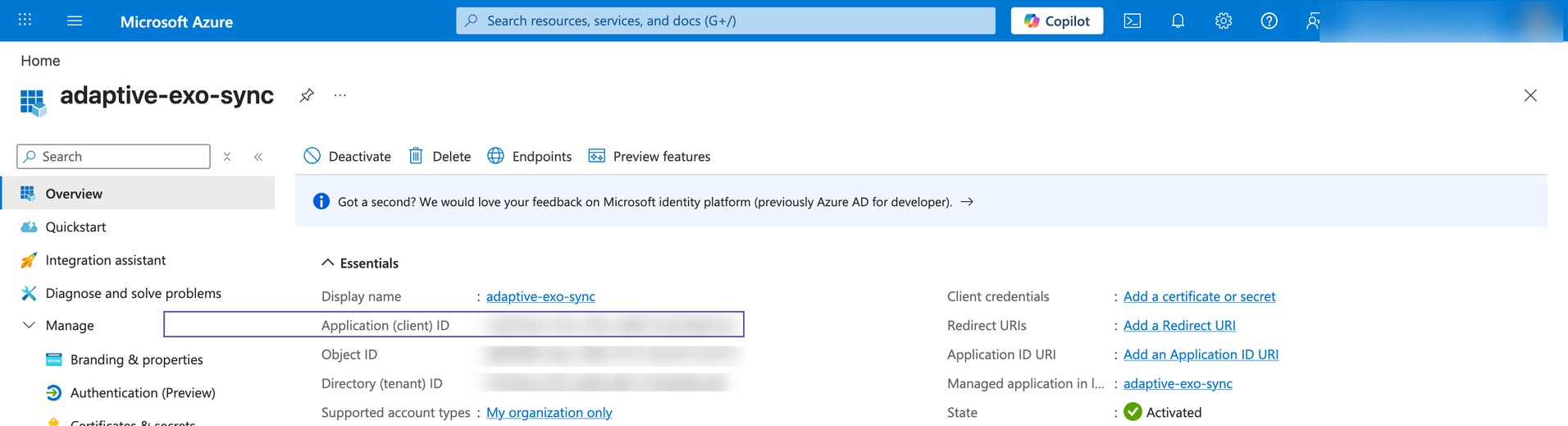
The app registration's Overview page carries both IDs Exo needs: Application (client) ID and Directory (tenant) ID. - API permissions → Add a permission → Microsoft Graph → Application permissions. Add
User.Read.AllandGroupMember.Read.All, then Grant admin consent. Read-only permissions are sufficient for sync; without admin consent the sync will authenticate but read nothing.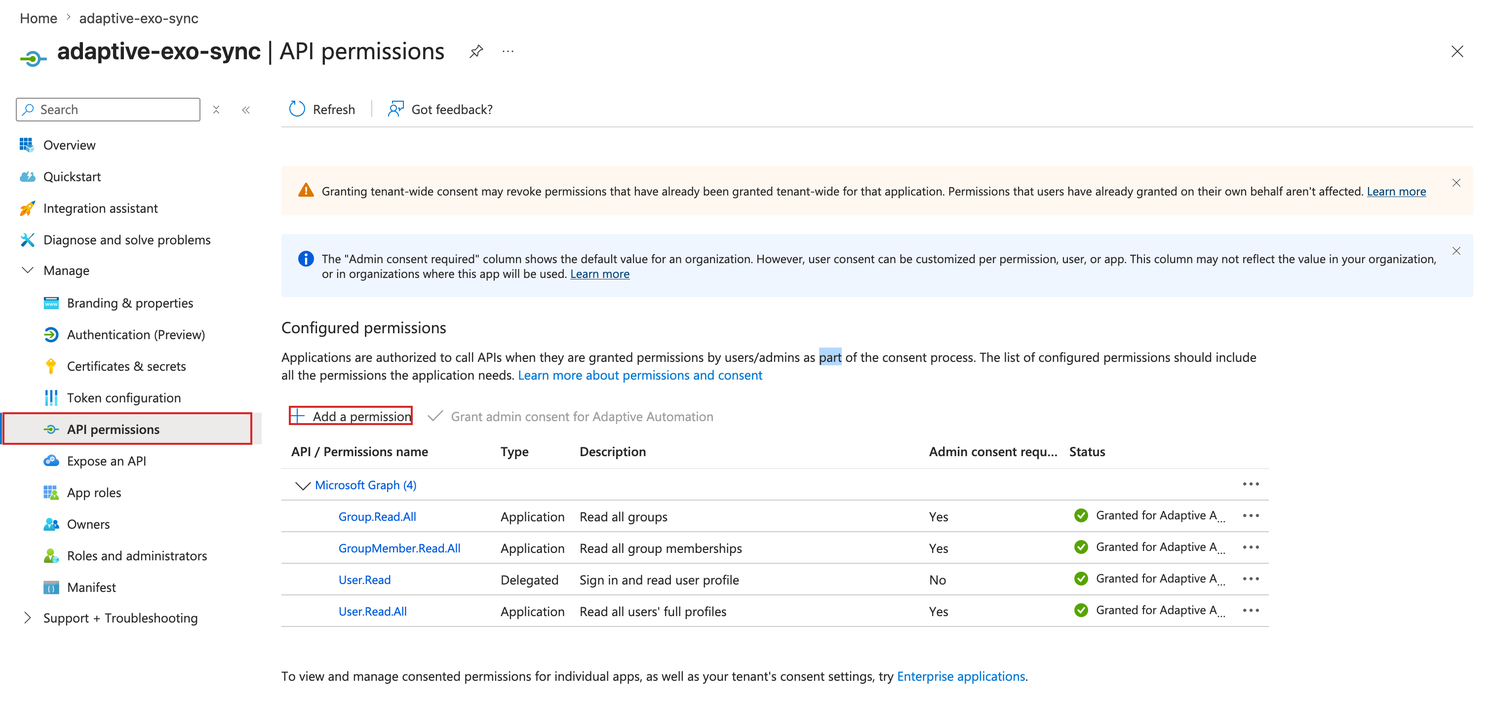
API permissions → Add a permission → Microsoft Graph → Application permissions. Grant admin consent after adding. - Certificates & secrets → New client secret. Copy the secret value immediately; Entra shows it once.
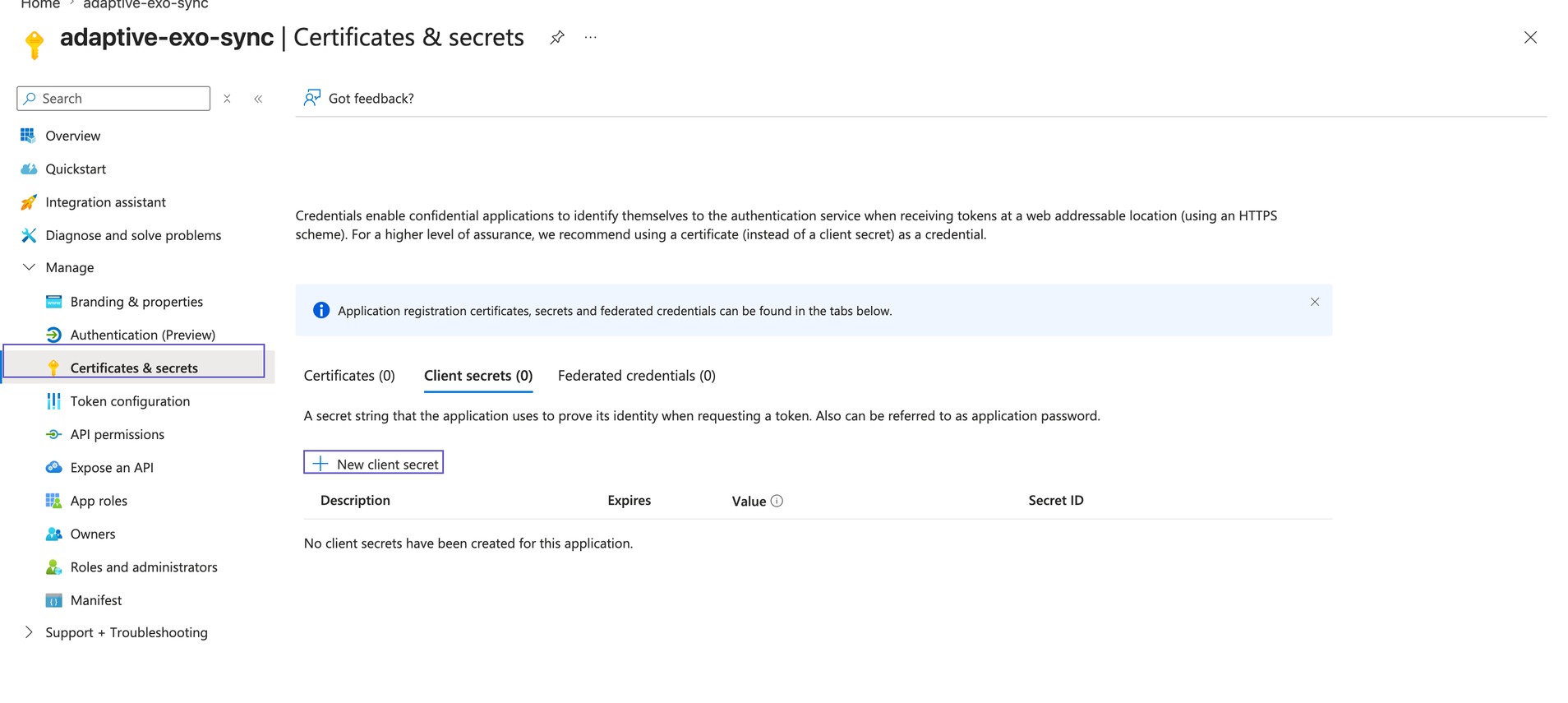
Certificates & secrets → New client secret. Note the expiry: Entra caps secrets at 24 months.
Then, in Exo: Identity → Identity Providers → Microsoft Graph pull, and paste the three values in:
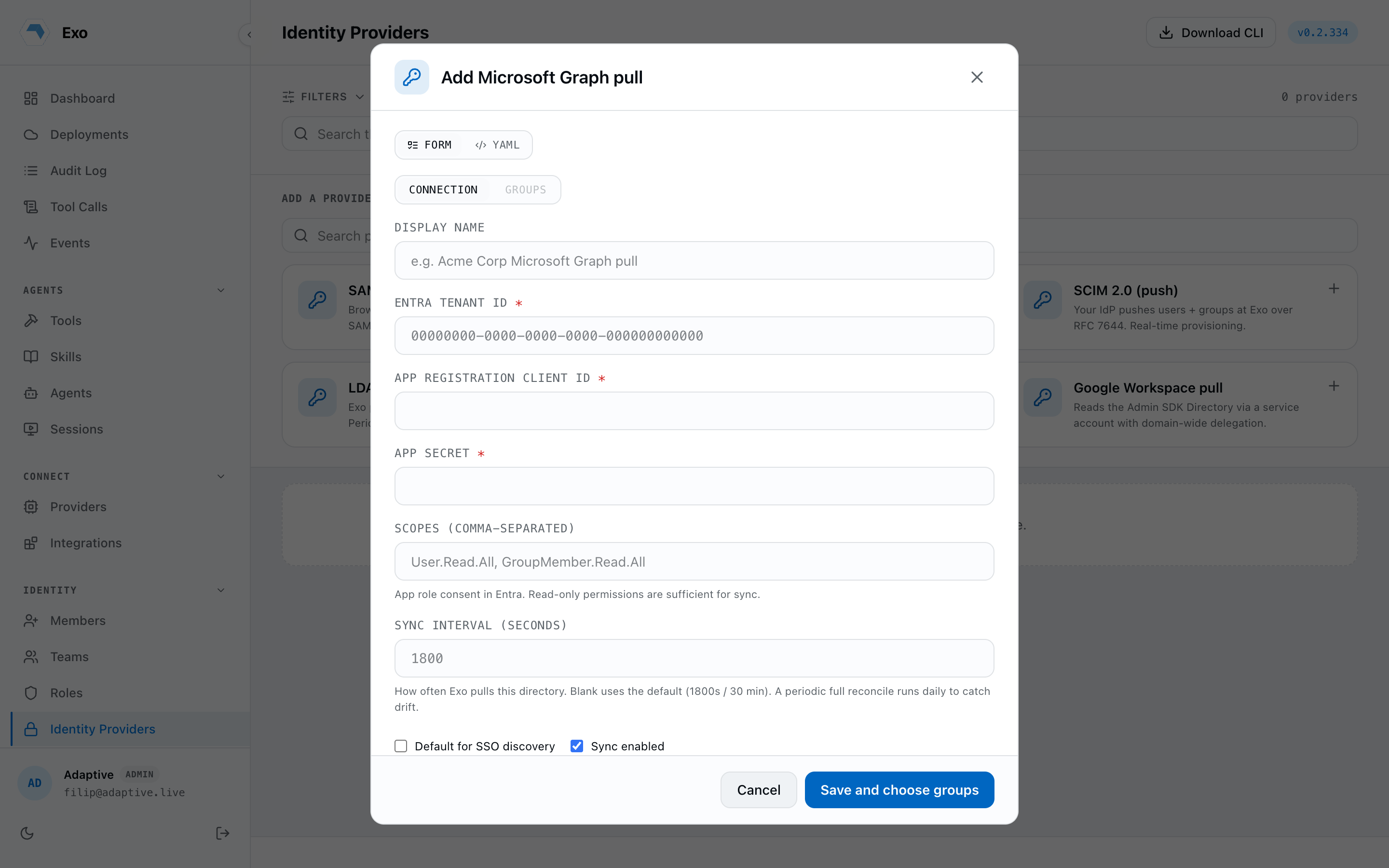
| Field | Maps to | Notes | Example |
|---|---|---|---|
| Tenant ID | tenant_id | Entra (Azure AD) directory tenant | 12345678-9abc-def0-1234-56789abcdef0 |
| Client ID | client_id | App registration application ID | 23456789-abcd-ef01-2345-6789abcdef01 |
| Client secret | client_secret | Write-only after save | wxy8Q~… |
| Scopes | scopes | Optional; Graph scopes for directory read | https://graph.microsoft.com/.default |
| Sync interval | sync_interval_seconds | Pull cadence (0 = scheduler default) | 1800 |
Google Workspace
Create a service account with domain-wide delegation, authorize the Admin SDK Directory scopes, and name an admin to impersonate. Paste the service-account key JSON into the editor.
| Field | Maps to | Notes | Example |
|---|---|---|---|
| Admin email | admin_email | Admin the service account impersonates | admin@acme.com |
| Primary domain | domain | Optional; your Workspace domain | acme.com |
| Service account key | service_account_json | Key JSON, write-only after save | {"type": "service_account", …} |
| Sync interval | sync_interval_seconds | Pull cadence (0 = scheduler default) | 1800 |
Sync cadence & runs
Each provider syncs on its own interval (or the scheduler default when set to 0). Use Sync now on the provider row to force an immediate pull, and Runs to inspect recent history: last success, last error, and the resume cursor. Connection secrets and certificates are encrypted at rest; the dashboard never renders them back.
Groups & roles
Synced groups appear under Dashboard → Groups marked IdP-sourced: the directory owns their membership, so you can't edit it by hand. Groups don't grant roles; a user's role is assigned directly, one per user, and synced users land as Member until an admin changes it. What groups give you is scoping: use them as principals on per-agent access lists and skill grants. See Roles & permissions.