
File systems
PVC-backed disks that outlive an agent's pod. Mount one on several agents to share a workspace, browse it from the dashboard, and copy files in and out with the CLI.
An agent pod is disposable — restart it and its working directory is gone. An AgentFS file system is a persistent volume in the workload cluster that an agent mounts, so a checkout, a dataset, or a pile of intermediate artifacts survives restarts, and several agents can work against the same disk. Find them under Infrastructure → Storage.
Why a file system
- Continuity. A long job that gets interrupted picks up where it left off instead of re-cloning and re-building.
- Sharing. Two agents on the same volume can hand work to each other — one prepares data, another consumes it.
- Getting data in and out. Upload inputs before a run and pull results after it, without a shell session.
Create one
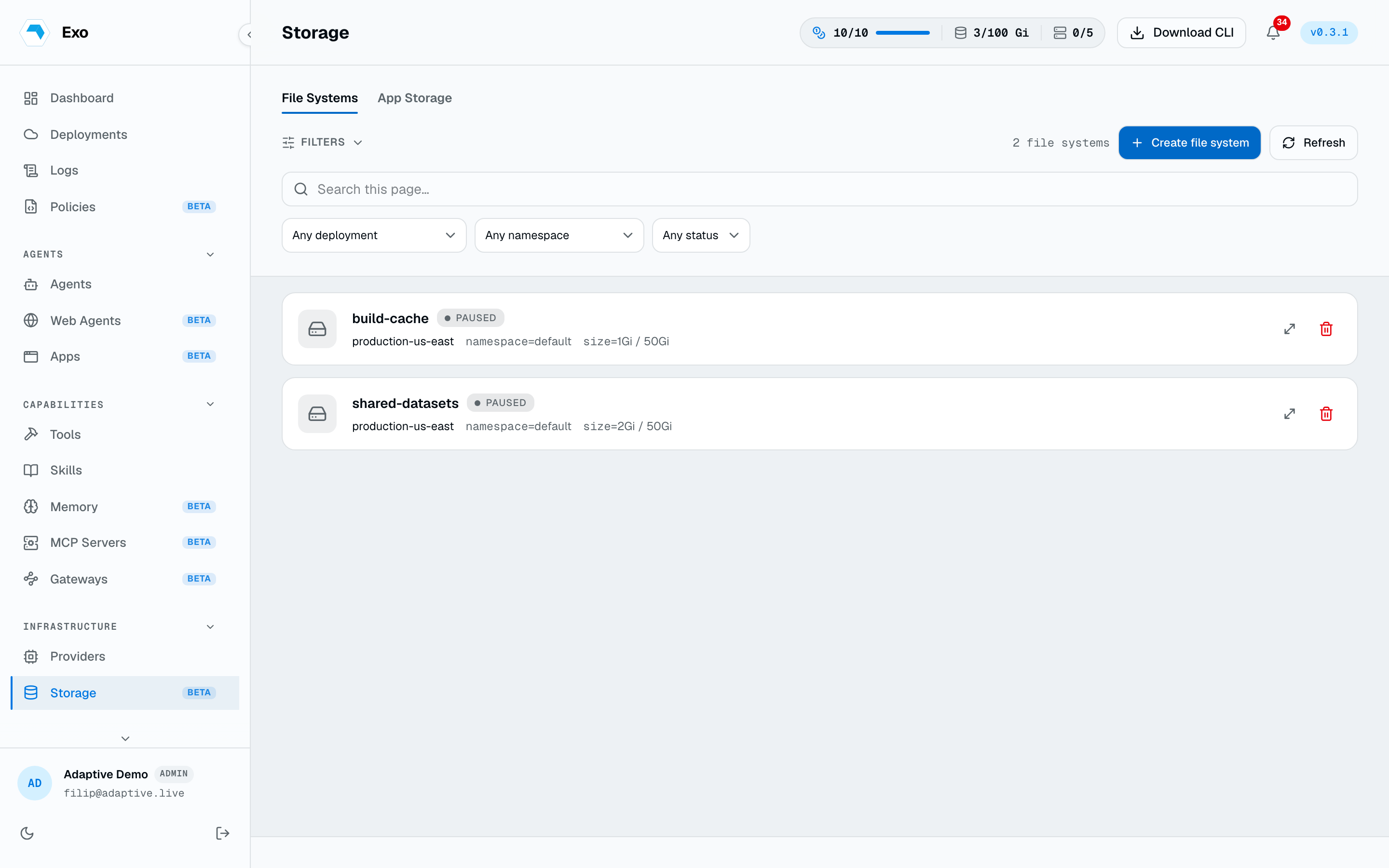
New file system asks for a name, a size, and a maximum size, and provisions a PVC in the target deployment. The deployment has to be online — creation is tunnelled to its operator, not applied by the dashboard.
| Field | Meaning |
|---|---|
size | The requested capacity, as a Kubernetes quantity (5Gi, 500Mi). This is what gets provisioned. |
maxSize | The ceiling a later resize may grow to. Growth beyond it is refused. |
storageClassName | Which storage class backs the PVC. Omit to take the cluster default. |
accessMode | ReadWriteOnce by default; a shared class supporting ReadWriteMany lets several pods mount it at once. |
retain | Keep the underlying volume when the resource is deleted. |
1apiVersion: autonomic.sh/v1alpha12kind: AgentFS3metadata:4 name: shared-workspace5 namespace: adaptive6spec:7 size: 20Gi8 maxSize: 100Gi9 accessMode: ReadWriteMany10 retain: trueThe list reports the live state: status, requested versus actually provisioned capacity (they differ while an expansion is in flight), the backing PVC, and which agents currently mount the volume.
Mount it on an agent
Attach file systems from the agent's edit form, or declare them on the resource. Omit mountPath and the operator mounts at /mnt/fs/<name>.
1spec:2 filesystems:3 - name: shared-workspace4 mountPath: /workspace/shared5 - name: reference-data6 readOnly: trueEditing an agent's mounts follows the omitted-preserves rule — send the list to replace it, send an empty list to detach every disk, omit it to leave them alone. The operator must advertise the mount-filesystems capability.
Browse & transfer files
Opening a file system in the dashboard gives you a directory browser. Listing is tunnelled to the operator, which execs it in a pod that has the volume mounted, so you can look inside a disk no agent is currently using. You can create folders and empty files, and the browser reports real usage — used, free, and total bytes read from df, not the requested size.
Grow & delete
- Resize is grow-only, and capped at the file system's
maxSize. Shrinking is not possible — that is a Kubernetes constraint, not an Exo one. - Delete is refused while agents mount the volume. Detach it from each agent first. With
retain: truethe underlying volume outlives the resource, so the data is still there to reclaim.
App storage
Apps provision their own volumes: an always-on workspace volume holding the code, and a database volume when the app runs a Postgres sidecar. Both appear on the App storage tab, where they can be grown the same grow-only way. They are managed by the app's lifecycle — deleting the app removes them unless the app was created with retention on.
From the CLI
exo fs list
exo fs create build-cache --size 20Gi --max-size 100Gi -n adaptive
exo fs ls build-cache:/artifacts
exo fs cp ./dataset.parquet build-cache:/data/dataset.parquet
exo fs cp build-cache:/artifacts/report.html ./report.html
exo fs resize build-cache --size 50Gi
exo fs delete build-cache