
Memory
Durable context that agents read at the start of a session and write back at the end. It lives in the control plane, so it survives pod restarts, cluster migrations, and the agent itself.
Most agents forget everything between runs. A memory is a named markdown document an agent reads on the way in and can write on the way out — conventions it learned, decisions it made, the shape of a codebase it keeps rediscovering. Because it is held centrally rather than on a pod volume, performance compounds instead of resetting. Open Capabilities → Memory.
What memory is
- A markdown document the platform owns, attached to Agents rather than baked into any one of them.
- Read into the agent's context at boot, or listed for it to open on demand.
- Written to by agents you allow, editable by people from the dashboard.
Memory vs skill vs context
- Skill: instructions. How to behave. Curated ahead of time, effectively versionless.
- Context: everything assembled fresh for one run. Rebuilt every boot, dies with the pod.
- Memory: what has been learned so far. Portable across agents and runtimes, outlives the pod that wrote it.
Write a memory
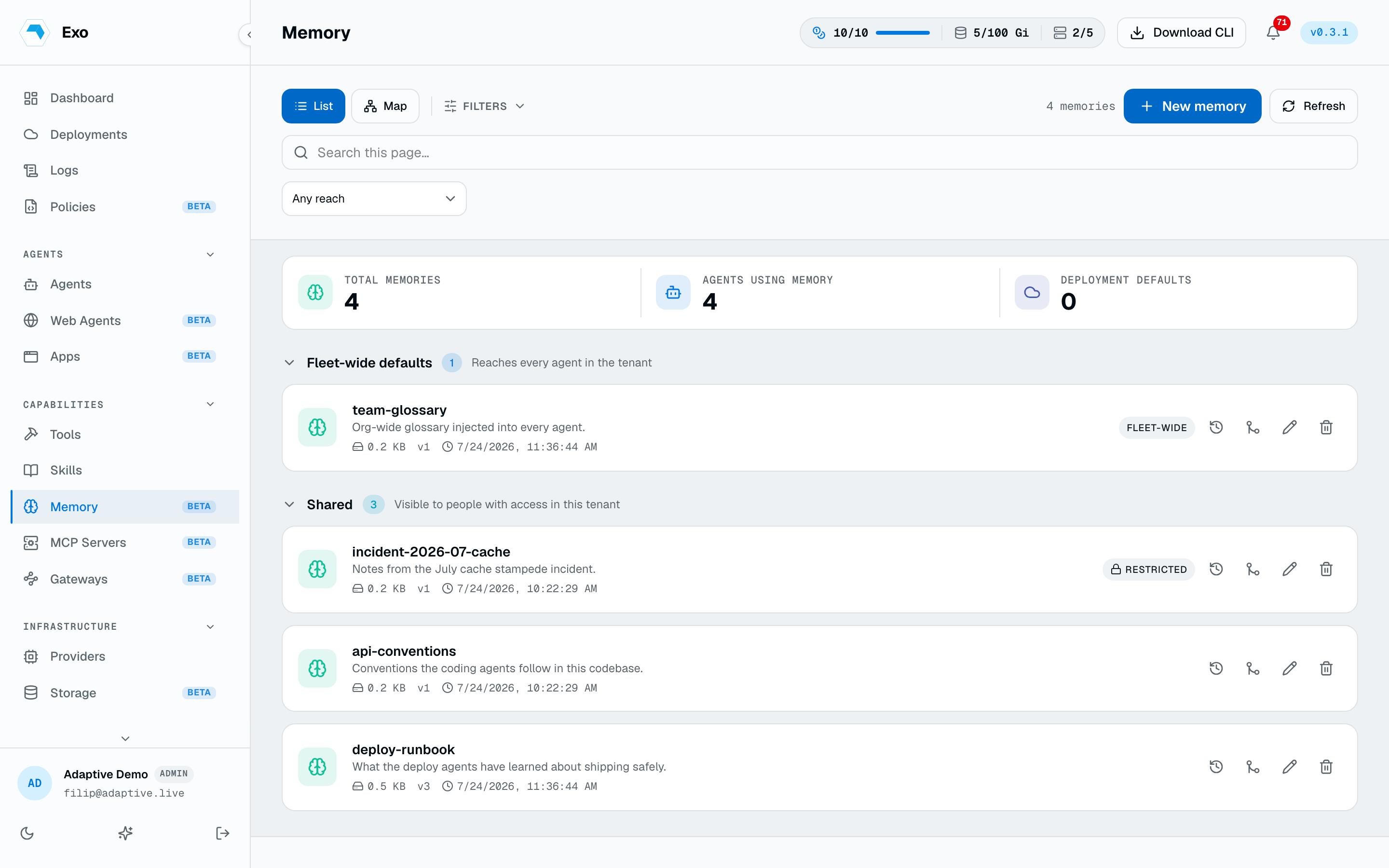
A memory has a kebab-case name, a description, and a markdown body. The name is the on-disk identity inside the pod and is immutable after creation; the body is edited on its own full page rather than in a dialog, because editing durable knowledge should feel like editing a document. Agents write to memory the same way, through their own credential.
Attach it to agents
Pick memories on an agent's create or edit form. Each attachment carries a mode and a routing flag:
| Setting | Meaning |
|---|---|
readWrite | The agent reads the memory and may write back what it learns. |
readOnly | The agent reads it and cannot change it — the right mode for shared house knowledge. |
Attachments follow the omitted-preserves rule: send the list to replace it, send an empty list to detach everything, omit it and saving another part of the form cannot silently detach memory. Apps and web agents take the same attachment list for their embedded agents.
An agent holds a short lease while writing, so two agents on one memory cannot silently clobber each other. Every write is attributable to the person or agent that made it.
Add to tool notes
Knowledge an agent gathered about a database or a host often belongs with the tool itself. Add to tool notes appends the memory into a tool's notes as a provenance-tagged section — an append, never a clobber, so earlier additions and hand-written notes survive.
The memory map
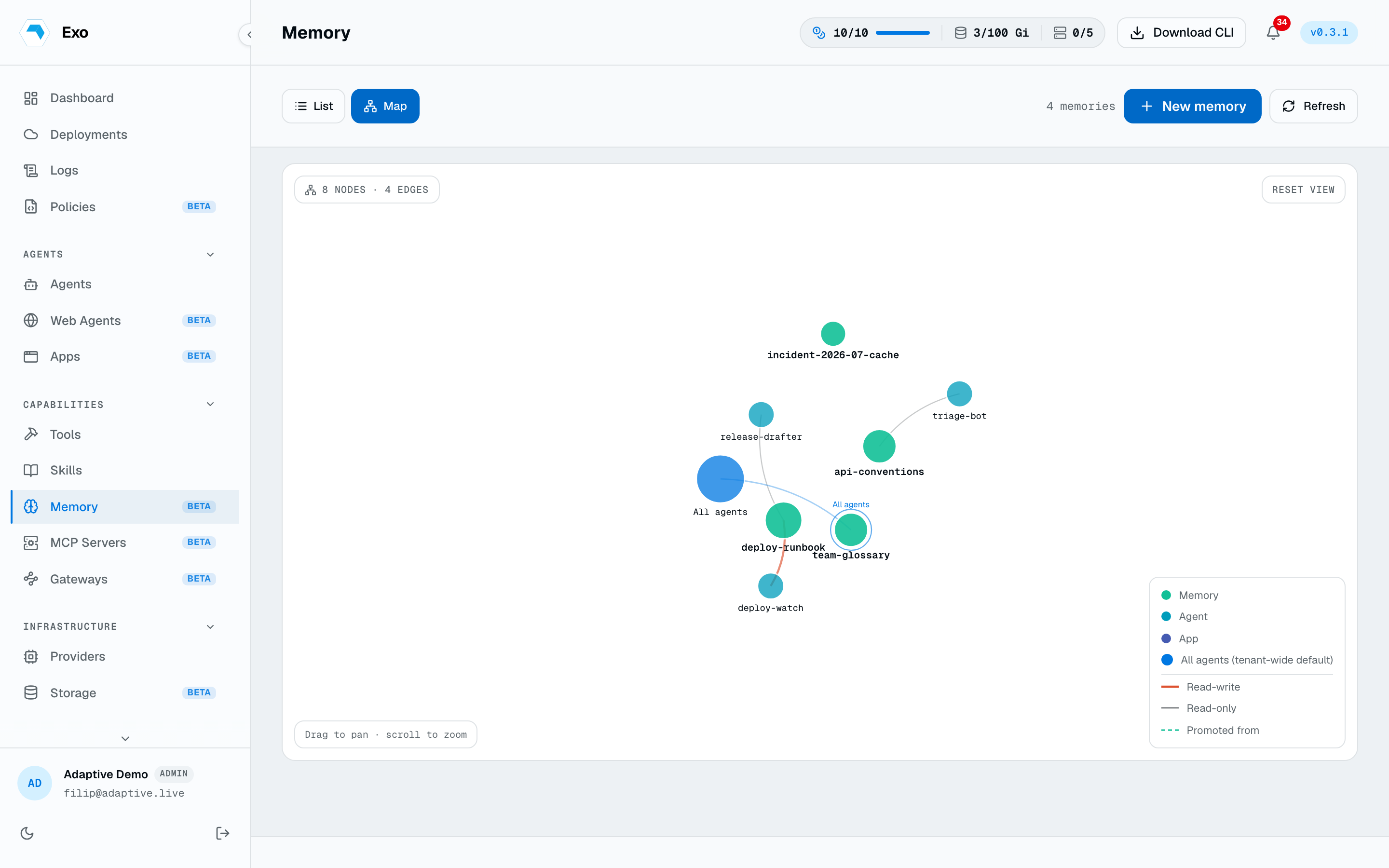
The map view draws the graph: memories, and the agents and apps attached to them. It is the quickest way to see which memories are actually in use and which are orphaned.
Access
- Visibility. The Access panel restricts a memory to named users, teams, or roles. A memory's detail lists the agents referencing it, by name.
- Deleting a memory removes it and its bindings cleanly; attached agents are updated rather than left pointing at nothing.