
LLM gateways
A gateway in your cluster that fronts every model provider: one place where keys live, spend is capped, and per-agent, per-user token usage is measured.
Without a gateway each agent pod holds a provider key and calls the vendor directly — fine until you want to know who spent what, or to stop one runaway agent from burning a month of budget. An LLM gateway is a workload the operator runs in your cluster: agents talk to it, it talks to the providers. Open Capabilities → Gateways.
What a gateway does
- Holds the keys. Provider credentials are synced into the gateway; agent pods get a short-lived virtual key instead of the real one.
- Meters everything. Requests, input and output tokens, cache reads and writes, and priced spend — attributed to an agent and a user.
- Enforces budgets. Per-session and per-period spend caps plus request and token rate limits, per agent or per user.
Create a gateway
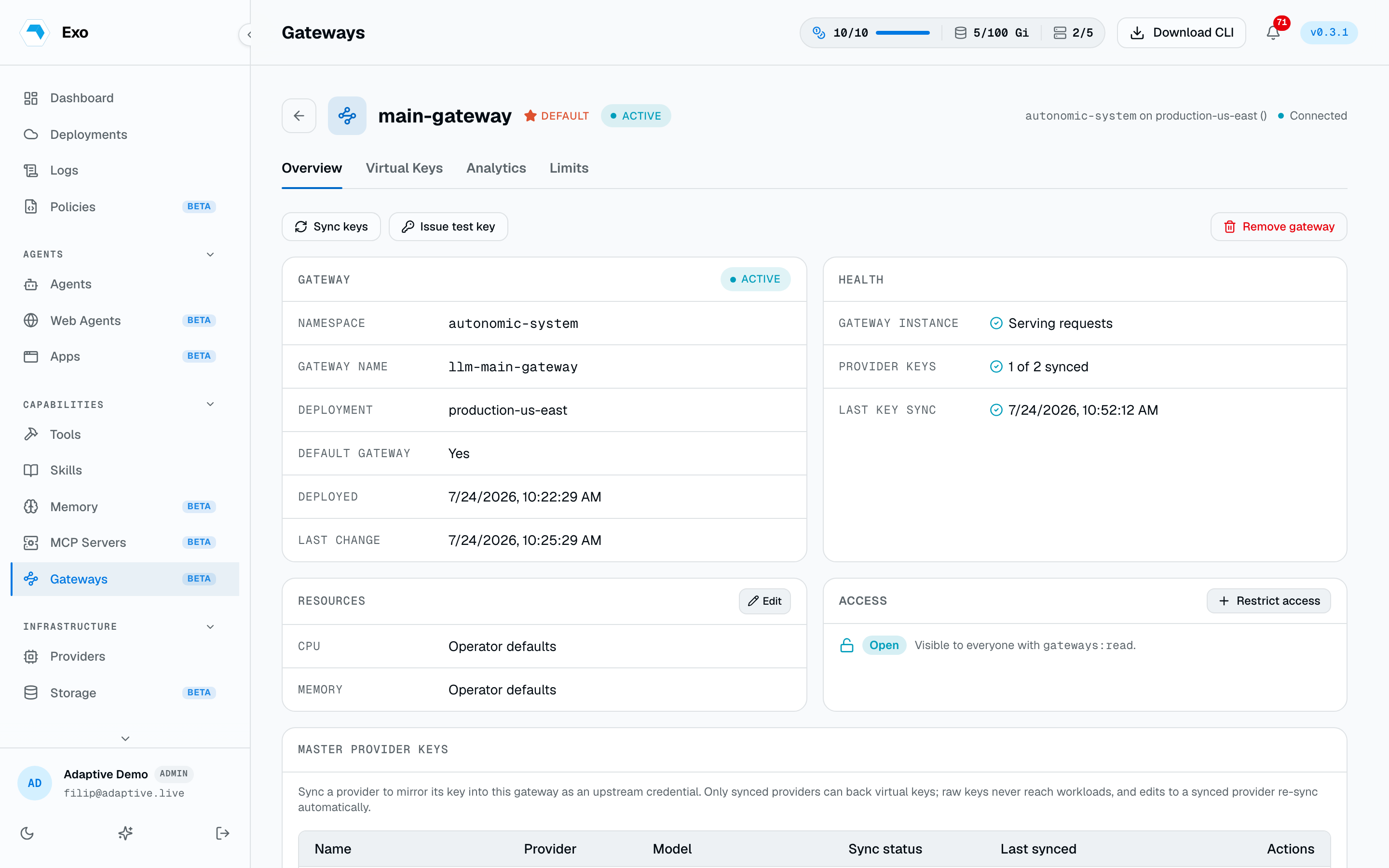
Pick the deployment, give it a DNS-style name, and optionally mark it the deployment's default. The status walks pending → provisioning → active; the detail page shows the reported endpoint and the last error if it stalls. Marking a gateway default clears the flag on its siblings — a deployment has at most one.
Sync providers into it
Providers are opt-in per gateway. Syncing a provider copies its upstream credential into the gateway and creates a link; only synced providers front agent traffic and can back virtual keys. Once a provider is synced, later edits to it re-sync automatically. Opting a provider back out removes its upstream key from the gateway.
Route agents through it
Agents, apps, and web agents all carry the same Use gateway switch on their create and edit forms. Three states:
| Setting | Effect |
|---|---|
| A named gateway | Traffic is pinned to that gateway, whatever the deployment default is. |
| Follow the default | The deployment's default gateway at launch time. Nothing to update when the default changes. |
| Off | Direct provider keys — the pre-gateway behaviour. |
1spec:2 gateway:3 name: shared-gateway4 namespace: adaptiveRe-pointing an existing agent needs the operator's set-agent-gateway capability. The change lands on the next pod.
Virtual keys
When an agent session starts, Exo mints a virtual key from the gateway scoped to that session, that agent, and one provider. The key material is shown once and never stored. The gateway tracks per-key spend, requests, and tokens broken out by class — uncached input, output, cache reads, cache writes. Keys are session-scoped: one expires when its session ends, and can be revoked at any time from the gateway's key list.
Admins can mint keys by hand from the same page — useful for pointing an application at the gateway, or for verifying the pipeline end to end. A key minted for a user must name the provider it is limited to.
export OPENAI_BASE_URL=https://<gateway-endpoint>/v1
export OPENAI_API_KEY=<minted-virtual-key>
Budgets & rate limits
A budget rule targets agents or users — named, or * for all of that scope — and applies to each target independently:
| Field | Caps |
|---|---|
session_budget_usd | Spend on a single minted key, i.e. one run or session. |
total_budget_usd | Spend across all of the target's keys until the reset boundary. |
resets | When the total resets: never, daily, weekly, or monthly. |
requests_per_minute | Request rate. Absent or zero means unlimited. |
tokens_per_minute | Token rate. Absent or zero means unlimited. |
Usage analytics
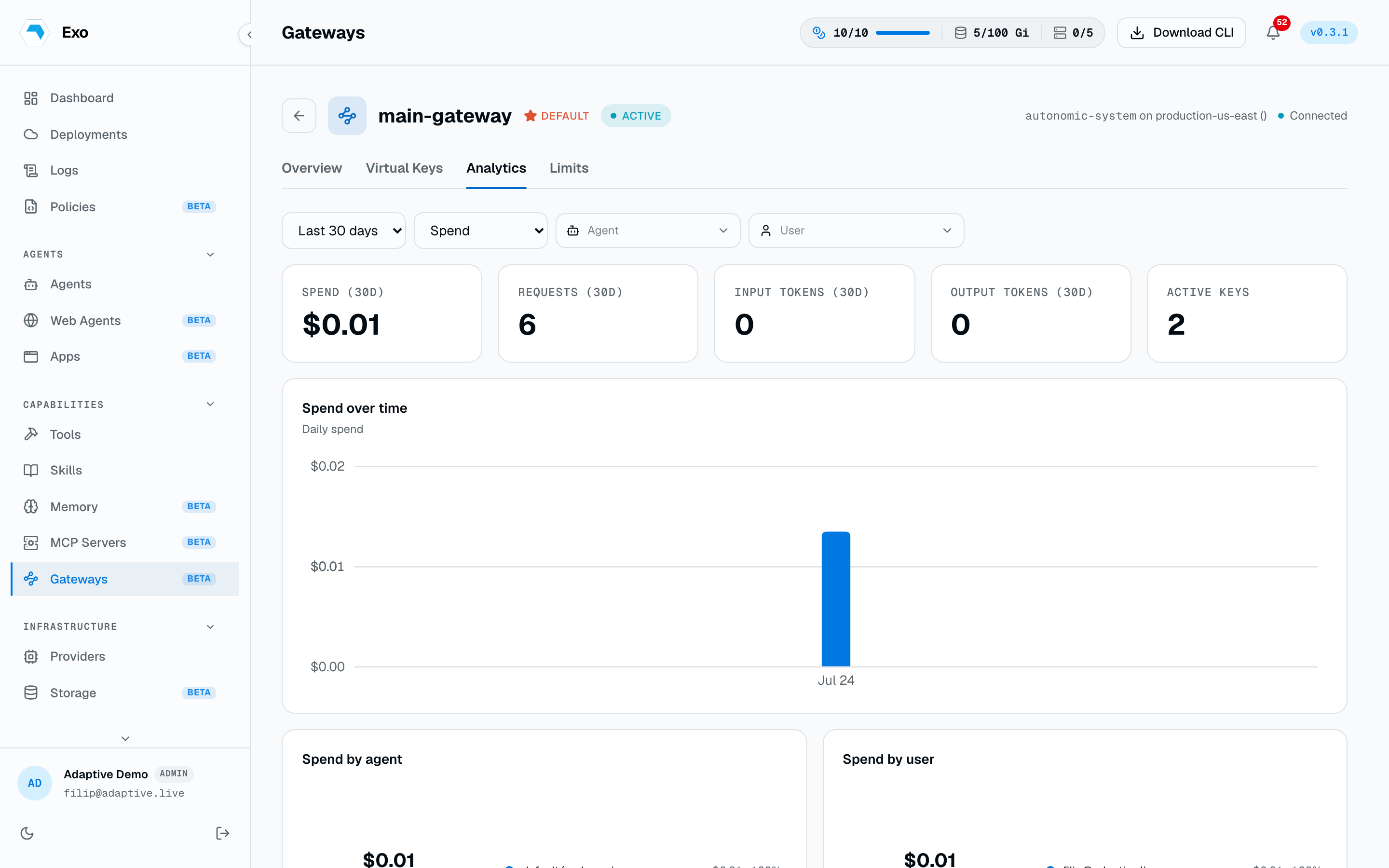
The gateway's Usage tab plots spend, requests, and tokens over a chosen window, sliced three ways: by agent, by user, and by day. Cache spend is broken out separately, which is usually the fastest way to see whether a prompt-caching change actually paid off. Filters narrow to one agent or one user.
Scaling
Replica CPU and memory requests and limits are editable from the detail page; the operator rolls the StatefulSet. Clearing the fields returns the gateway to the operator's in-cluster defaults. Deleting a gateway reports any credentials left behind so you can clean them up.
1apiVersion: autonomic.sh/v1alpha12kind: LLMGateway3metadata:4 name: shared-gateway5 namespace: adaptive6spec:7 replicas: 28 service:9 type: ClusterIP10 port: 400011 resources:12 requests:13 cpu: 500m14 memory: 1Gi