
Sessions & replay
The full record of an agent run: tool calls, checkpoints, and terminal I/O, captured live and replayable frame by frame with the original timing.
A session is the inside view of a run: the tool calls the agent made, the checkpoints it reached, and, for interactive runs, the terminal stream. It answers "what did the agent actually do?" long after the run is over.
Browse sessions
The dashboard Sessions page lists every run across your connected deployments. Filter by agent or tool, status, runtime, actor, or date to find the one you want, then open it to read its event timeline: the agent's input, its thinking, and the actions and tool calls it made.
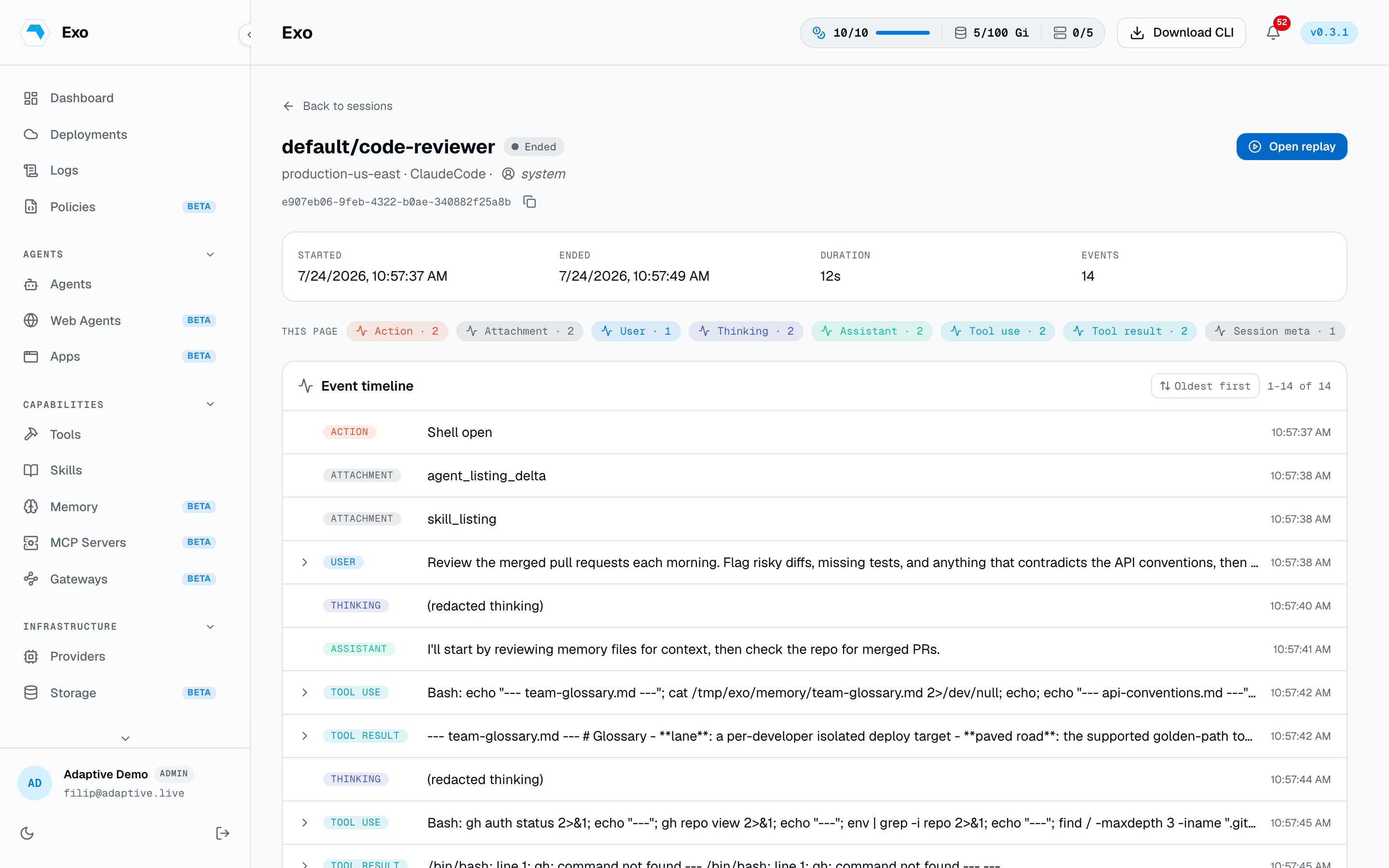
Replay a session
Interactive sessions are recorded as asciicasts. Open one and press play to watch the terminal timeline replay frame by frame with the original timing. Scrub with the seek bar and set playback speed anywhere from 0.5x to 8x.
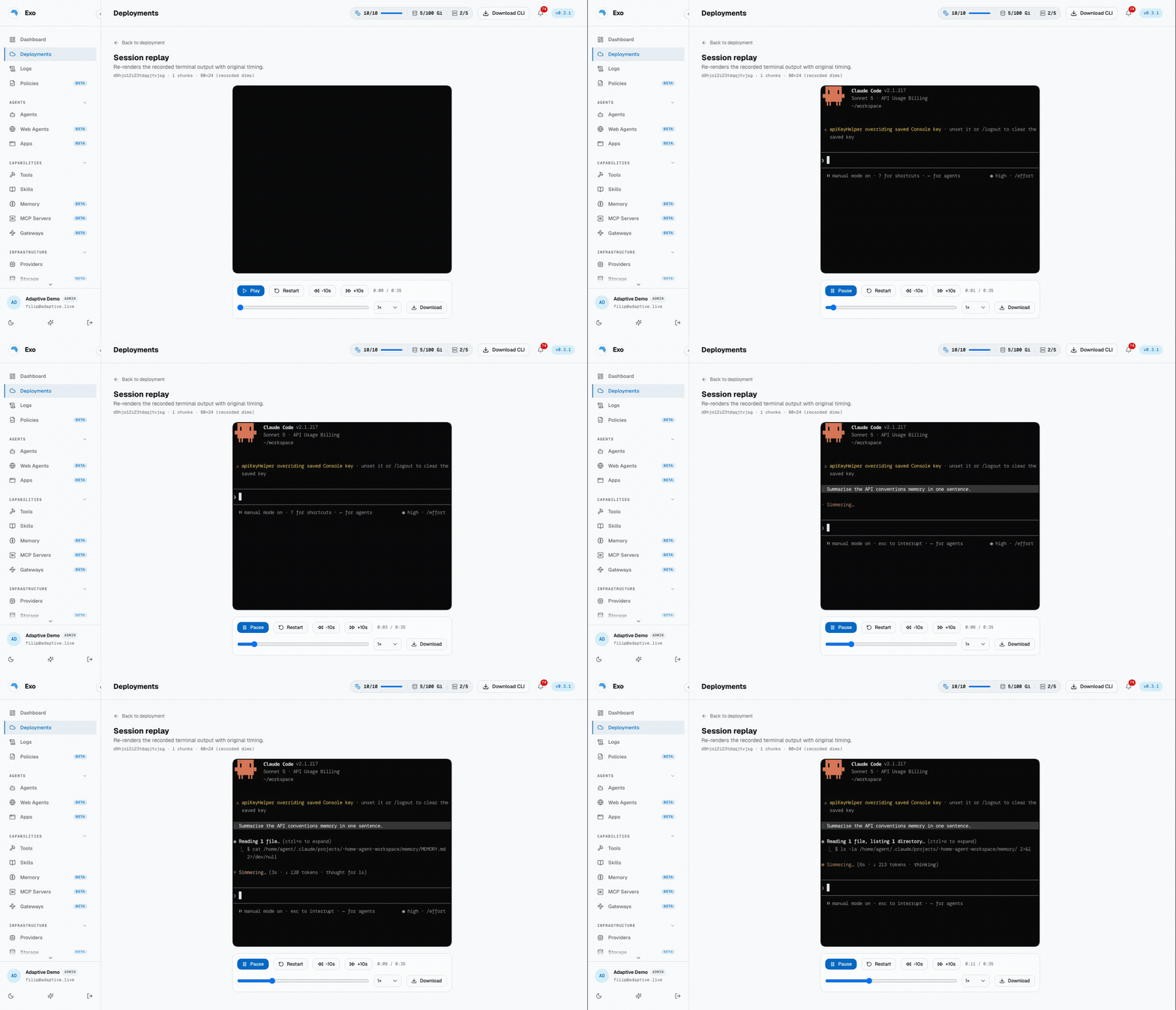
Shell recordings
The sessions above are agent runs. A shell recording is the other kind: an interactive shell opened against an agent, whether attached from the dashboard, from the CLI through the control plane, or a kubectl-exec shell captured by the in-pod recorder sidecar. Each deployment collects them on its Sessions tab, where a recording appears once the session ends.
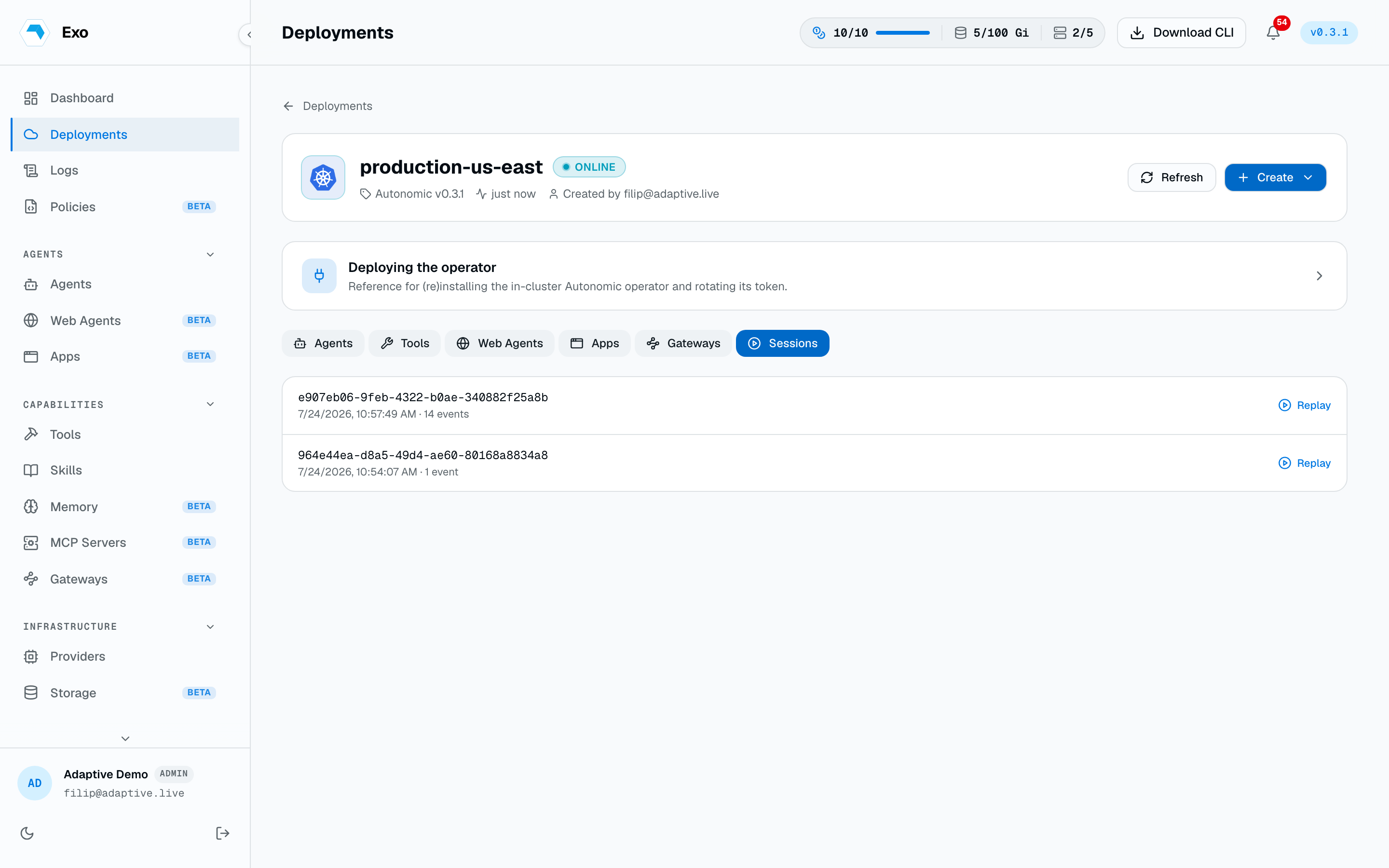
Each row plays back with the same asciicast player as replay above, and you can Download any recording as an MP4 video, rendered in your browser.